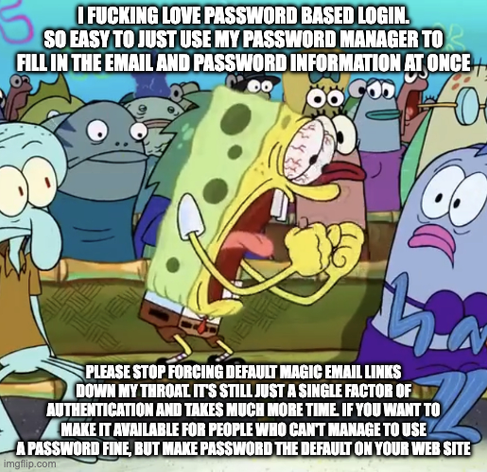
I love password based login

https://lemmy.world/post/44211348

Also This strange trend to split username and password on to two separate pages, or only showing the password field after confirming the username
Not that strange. Different users may belong to different groups which may have different authentication bacends. The associated authentication method is brought up once a username has been provided.
if your choice of api route directly affects your auth flow something is very wrong.
I don’t like it when I need to sign in twice for single sign-on. The email/username then tells the system if they need to be directed to another sign in page. Like Google or Microsoft. This then allows you access without having to give them your password.
Yes, but, it also lets them slurp up email addresses. Routing users is legit tho.

This reminds me of another annoying one, often related to these routing pages.

I type in my email, then it routes to “create an account”. Or WORSE it mimmicks the thing the OP is complaining aboit and says it sent me a verification email, then prompts me to make an account.

Like fucker, I have a dozen+ email addresses, if my email isn’t an account, just tell me so I can try a different one.

You can do that as part of an OAuth workflow. You don’t need to have them on separate pages for that to happen.
This is because of Enterprise Single Sign On. You can try this for yourself by going to gmail.com and enter the email of a public person at a large org, for example the CEO of Doordash ([email protected]). After you enter the email, you get sent to Doordash’s employee portal to authenticate. Based on the email you provide, Gmail has to figure out if you need to provide a password to gmail itself or if the email authenticates another way.
It’s not like you can’t add a “Log in with your company’s SSO” button to the form. That works just fine and at least Microsoft does something like that.
Not sure I’d take design inspiration from Microsoft of all places. Also login.live.com has the same workflow email -> continue -> password. Not sure where you’re seeing Log in with SSO option.
Sign in to your Microsoft account

My company uses Entra ID (out whatever they’ve renamed it to this week) and it’s a pretty common sight in our login flow. I think our SharePoint instance does it so it should be something MS does.

Of course it all depends on w how the company configures it.

Ok, I think I get what you’re saying. You mean have a different form input without the password, like how it’s done here: eu.app.orcasecurity.io/login? I guess that’s one way to do it, but it’s not really intuitive from a user perspective, since the first thing you see is a password field, and then think you don’t have access because you don’t have a password. This one comes to mind because I have had to tell people to click the tab for the email only field, not email and password.
Orca Security

Complete Cloud Security in Minutes | Orca Security

I also often see implementations where there’s a first step where you have to select how to log in. It’s an extra click but very clear (and usually one of the options is some form of SSO where that one click fully logs you in if you already have a session open).
I see the Login with SSO option all over the place. Of course, that assumes the users actually understand what that means, and they know whether or not they need to click it.
Zoom has it, for example. 
And remembers which one they choose when registering.
No it doesn’t work fine, because it confuses people, and provides the potential for working-around SSO.
1Password handles this gracefully
  • Username
  • Password
  • MFA
  • Do the whole process all over again because the remember this device is on step 2 and it’s impossible to go back
  • Bonus stage 0: special login URL decided to crap out, and going back to any point in history automatically redirects to the error page that you can’t use to log in, so you need to keep going back and trying to copy the URL before it redirects becausw Firefox interprets pressing “stop” as “do whatever you want idk”

    Fucking aws…

    You forgot step 2.5: incorrectly identifying stoplights 6 times in a row.
    It took me years to learn that you’re supposed to do them very slowly. Otherwise it will keep bothering you to fill out more. Pretend you are 80 years old and you’re good to go on your first try.

    Oh fuck, the stone piles -thing is the worst of those. Tiny images, badly generated so you can’t see shit, multiple rounds that have six or so images each round, you can’t make a single mistake, and you get to know did you make any mistakes only after completing all of the rounds. It’s straight up abuse

    Once I had to try over five times and still kept failing, so I just gave up. I guess I’m not a human anymore

    It’s a whole mini game sometimes. I hate them with every fiber of my being.

    I actually like seeing those, when I have time, because I assume they are training ai with it and using my selections as tagging data. Pick all the cars: nope, everything but cars.

    I’m probably the reason you fail, because I’m poisoning the data and reducing the confidence scores for the tags.

    I remember when doing those captcha felt like improving computer science and that was a positive thing, teaching computers to see. How quickly we’ve fallen.

    You’re probably getting flagged. You have to be just slightly off. Miss one or two by a square or two. And remember that image so you repeat it every time.
    I do that shit too, fuck the AI training. The Terminators will stopnat every set of stairs thinking its a stop light
    At least identifying shit is easy, I have seen some wild captchas. Roblox for a while had some really crazy ones where its like “Identify the shape that most closest matches the answer to this math problem”, and the shapes are all highly stylized numbers on a field that is basically a colorblind test.
    Math? I’d drop the entire service for that. We enslave rocks and teach them math and language to avoid more math.
    Came here to say that! For the love of God, stop with this nonsense!
    That ones because users like choice. They need to look up who you are to know how you’ve chosen to authenticate. At least, that’s how it started. Some could be doing it because the big kids are, but that’s why the big kids do.
    And they support choice because businesses want to use their login infrastructure and refuse to share. So you enter “[email protected]” and it forwards you to your institutional login.
    That’s there to support routing to an identity provider for SAML2 SSO.
    HEY BUT DO YOU WANT TO USE A PASSCODE?? PASSCODE! PASSCODE! USE THE PASSCODE! -_-
    Yeah what the hell is up with that one? Seems so sketchy
    Passcodes are fine. It’s just MTLS but by marketers

    Passkeys are okay, but your browser and OS want you to use them because you can’t just take a passkey to another platform, you have to create a new one, and it’s a o p aim in the ass.

    It’s a lock-in gimmick latching on to a real useful solution.

    Password managers can hold Passkeys now and they’re portable. Bitwarden stores all of mine, use them on any machine.
    Yeh, I have passkeys in bitwarden.
    I get it. Once they become ubiquitous, you click “login” your password manager prompts you to select account, and you are in.
    No password that can be leaked, incorrectly stored, brute forced.
    It’s like mTLS, except staged.
    While true, it still means you’re locked into only being able to log in from a browser that has the password manager extension installed and logged in. Sometimes I want to log in from another machine, or another OS, or another browser, or even an incognito window that doesn’t have access to my extensions.
    You can do that without an extension. There’s a bunch of different protocols that let you, for example, use your phone as the authenticator.
    You can log in with your phone on a computer you’ve never used before by scanning a QR code and credentials never leave your device.
    That’s what hardware keys are for. Even the cheap lines of fido USB keys (ca $20) can safe passkeys. And your phone can too.
    That’s an implementation issue, not an inherent problem with passkeys.
    KeepassDX as well.
    It’s good but for some reason I can’t use them on my degoogled android phone. Doesn’t pop up to select… It thinks I want to use a yuibkey or other device.
    That’s false. My passkeys sync to my password manager and are available on all my devices
    Ok that makes a lot of sense. It definitely seems like it’s more for them than it is for the user’s “convenience”

    My passkeys are tied to my phone, which I use via the browser and OS. I keep them in my password manager running on the phone. My password manager supports the open spec for securely migrating credentials between vendors.

    It may be difficult to believe but they want you to use them because they’re legitimately significantly better.

    Users are silly. They blame Microsoft for bad passwords. They blame Google for forgotten passwords. They blame Facebook when they click on a phishing link. They blame apple when apple “lets” someone who they gave their password to see their pictures. They blame apple when they don’t let the user in just because they forgot their password and every recovery mechanism.

    Everyone involved has a significant issue with passwords because they cost them user satisfaction, credibility, or money directly. The reason cross vendor transfer has been slow is because everyone wants to be the leader, since if everyone follows your lead you get to make it work better with your stuff.

    My email uses greylisting which is where the first email received from a server gets a “busy” response - the idea being that spammers just fire and forget whereas real mailers will retry.

    Unfortunately, some senders take so long to resend that it’s timed out. The second time will work though. Unless they have multiple servers. Some have so many servers that you have to do this a multitude of times until you lose the will to login or forget what you were going to do anyway.

    I weirdly don’t mind the email method. I don’t like copy pasting my passwords because I feel it’s less secure than typing it out.

    Now I wouldn’t mind if it was an option.

    That’s why you use password managers.
    No need, just use Forgot Password for every login. No password manager needed /s
    Dad? Is that you?
    I do use them, I don’t use them for auto complete.
    Ah but you see it’s one factor of authentication that also conveniently loops in whichever email provider is spying on you
    Of course. How would Microslop or Google LLMs snoop on your data then? You guys really make no effort… /s

    Ding! Ding!

    This is the real answer: mail providers get to track you, your service get constant confirmation that your email is live (so they can send more ads from themselves plus their 400 closest affiliates). It’s a win-win situation for everyone /s.

    “The beatings enshitification will continue, until moral is improved.”

    Just let me use passkeys at this point. The way that people typically use passwords is less secure anyway, why not just make it as simple as possible?
    I forget. Are passkeys the access method that prevents you from logging in ever again if you lose access to a device?

    Typically, no. You’re thinking of TOTP/Authenticator based 2FA. Those still come with backup codes in case you break the phone that has the TOTP codes warehoused. I always recommend keeping those backup codes saved in the notes of whatever password manager you’re hopefully using.

    Passkeys are essentially just one half of a cryptographic key pair (like what you’d use for authenticating SSH without passwords). These allow you to authenticate once using password + 2FA, then use the generated passkey for future sessions. Since these are much more complex than passwords and remove the need to actually remember anything, they are significantly more secure.

    There are also some other features that I’m forgetting, and that may not be a perfectly accurate description, but I think you can get the gist.

    Passkeys are supposed to be bound to one device and protected by that device’s OS’s secure enclave. If you have a second device you’re supposed to create a second passkey.

    That’s why many sites will flat out refuse to let you create a passkey with a desktop browser since a PC-stored passkey doesn’t fit the security model.

    Yeah, that’s how I understood it to work, as well. I didn’t mention it because I’ve seen a bunch of different implementations that don’t seem to work that way. I didn’t want to speak too much on that specific point, since I don’t have a very thorough understanding of it.