 Trezzer (aka Helvedeshunden)
I wanted to change the background on an iPhone to match a new cover, and for the life of me I can’t figure out how to pick one of the built-in options without having to set up all widgets all over again. Apple explicitly hints that I should hold down on the locked screen, but that only seems to let me access everything BUT the background.
 Nathan Jung
@trezzer They changed it to show a mini copy of the photo you currently have. Tapping that will let you select a new photo. Some wallpapers make it hard to see this as a tappable item. I wish it was just a button that said “change wallpaper” or something because the UI here is really bad, but that wouldn’t look as pretty.
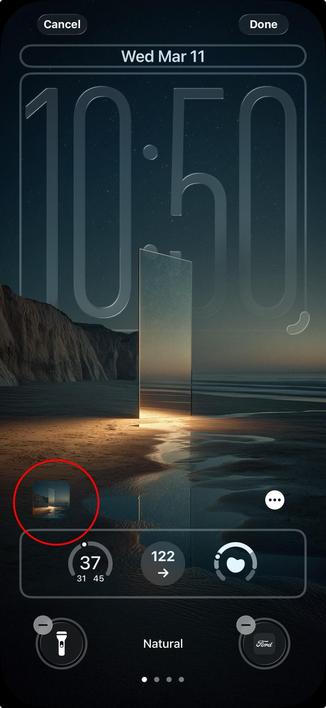
@natejung That button doesn't appear on one of Apple's backgrounds; you just get the depth icon and a setting for bright/dark/auto on the right. Nowhere to change it to a different color.
I ended up recreating everything from scratch and ran into a majestic bug with the clock's numbers jumping all over the place - including outside the widget area. Quality control and quality UIs are truly a thing of the past in Cupertino.