 Ariadne Conill 🐰
very cool. this is why i hate the modern web.
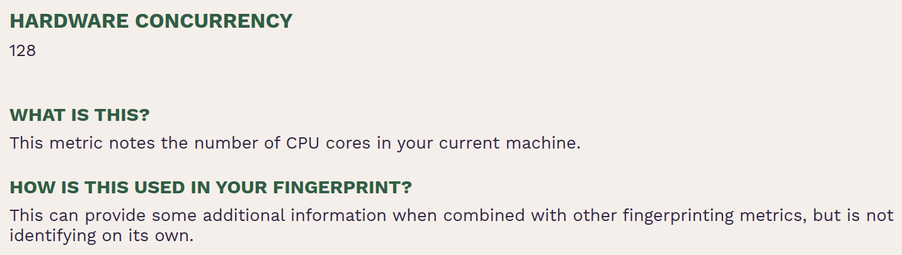
@ariadne anti-fingerprinting feels like a pyrrhic victory to the extent it can be achieved
sure, random webpages probably don't need to know how many cores you have (and thoughtful design could keep this available to those few which maybe do). but the thing that made me conclude this is Accept-Language:, a feature that is intentionally made worse for bilingual users in service of reducing fingerprintability. i think i'd rather have that than a (in practice) false promise about privacy
@whitequark @ariadne At some point we need to start legislating these things instead of trying to patch over them with technology.
Like, there is zero legitimate reason for fingerprinting to uniquely identify individual users at scale. It should simply be illegal. This does not preclude stuff like identifying bots. Ad stuff should just use cookies where allowed.
@ariadne @lina i ship an FPGA toolchain in the browser. it can* use multithreading. it needs to know how many threads to run to not contend on resources uselessly
* currently not built in that configuration for a variety of reasons that is not specifically tied to the web
@sabrina @iyashikei_kris @mcc @whitequark @ariadne I think CSS is getting there but although it can do most things people would want these days, some things would have to be upgraded from "horrible hack" to first class support. Like this stuff:
https://www.codegenes.net/blog/show-hide-div-on-click-with-css/
Basic toggleable UI elements should not require hacks like fake check boxes.
In web development, showing or hiding content dynamically is a common requirement—think collapsible menus, accordions, tabs, or toggleable sections. While JavaScript is often the go-to solution for interactivity, there are scenarios where a CSS-only approach is preferable: it’s lightweight, avoids JS dependencies, and works even in environments where JavaScript is disabled. But here’s the catch: many CSS-only "toggle" solutions sacrifice accessibility, leaving keyboard users or screen reader users unable to interact with the content. The goal of this guide is to teach you **how to create accessible, CSS-only div toggles** that work for everyone, without a single line of JavaScript.
@saikou @sabrina @iyashikei_kris @mcc @whitequark @ariadne
I think the problem with that one is the mandatory parent/child/sibling relationship... and it also doesn't work for the mutually exclusive case.
There's also a use case for "deselect on focus loss" which that doesn't do...
 ✧✦Catherine✦✧
 Hoshino Lina (星乃リナ) 🩵 3D Yuri Wedding 2026!!!
 mcc
mcc Phie Lux
 solastalgia kris ☀️🧘🚲
 electron band gap moe