
Welp, Xcode decided it could no longer run builds on my test device. I've been stuck on this for ~4-5 hours. I'm literally sitting on the build that should (finally) pass App Store review, but I can't test it. 🤦🏽‍♂️

I've tried all manner of troubleshooting including wiping the test device, upgrading macOS (15.5.x to 15.7.4), and upgrading to latest Xcode. Even tried a fresh test device.

Has anyone seen this before? #AppleDeveloper
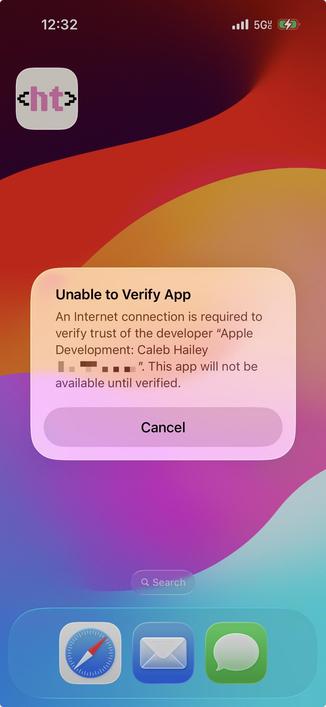
Finally resolved it, way too many updates later.

Upgraded macOS 15.5.x → 15.7.4
Upgraded Xcode CLI tools 15.? → 26.3
Upgraded Xcode 15.? → 26.3
Upgraded Xcode 26.3.? → 26.3 (17C529)
Upgraded iOS SDK 18.x → 26.2

The second Xcode upgrade was the most annoying.

#AppleDeveloper

@calebhailey what do you have as a test device?

I’ve recently realized I need some for my app. Turns out even when logged in as the same iCloud account, an Xcode installed app cannot share data with a TestFlight installed app.

@lkanies my first test device was an iPhone 12 Mini, because I wanted a "lowest common denominator" screen size for testing designs. I've since added an iPhone 16 - the lowest end device that can do Apple Intelligence things for different "lowest common denominator" reasons. I don't reach for the Mini as often now that I have a USB-C test device.
@calebhailey thanks!
@lkanies oh I also chose iPhone 16 specifically because it's 60fps refresh rate. Need to be able to test what the app feels like on slower displays. BONUS: it feels extra good when you eventually push builds to your personal device for silky smooth 120fps scrolling.
@calebhailey makes sense. Guess I’d need the e phone for that
@lkanies yeah, that would be a great choice. Make it run good there and it should run great on all current and future devices.