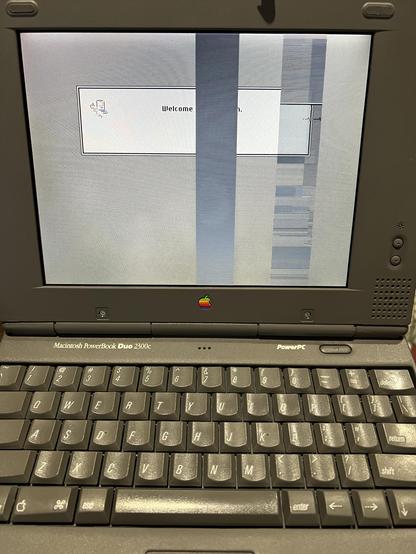
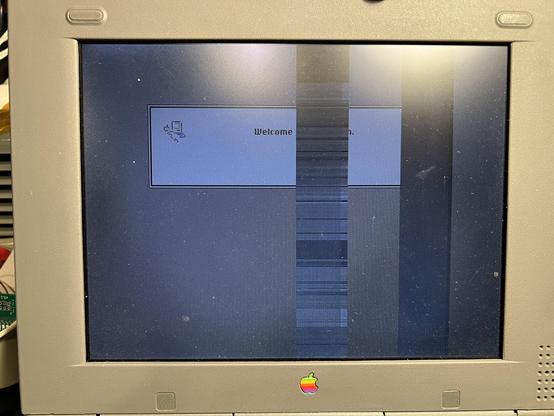
Today on the bench is the PowerBook 2300c. When I got it last year, the display had problems: two large vertical stripes were glitching.

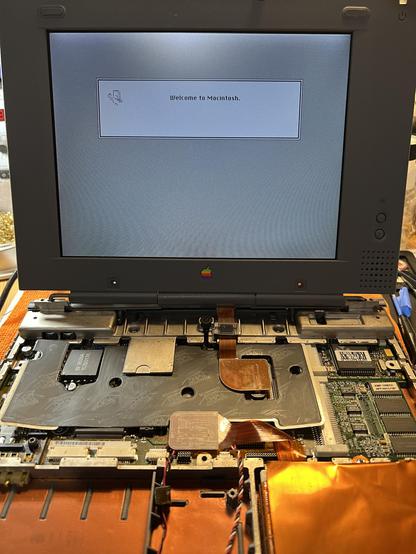
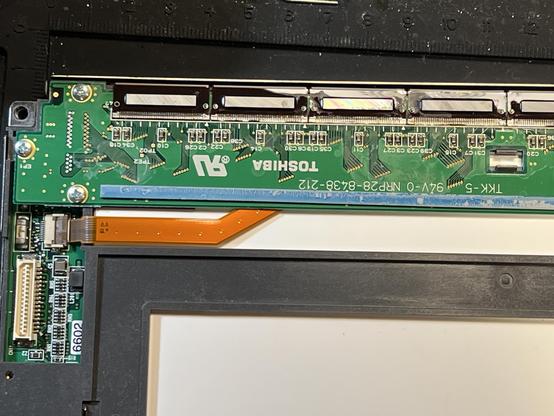
I opened it and used alcohol swabs on the display columns which may have had cap fluid leaking onto them. The visible caps were on separate boards.

I suspected that there's caps on the other side but I was terrified to take that board out for fear of breaking the tiny flat ribbon connectors on those columns.
#RetroComputing #VintageApple #VintageMac

One year later, the PowerBook 2300c display has exactly the same problem in the same area. So I tore it down again and swabbed all of the column pads on the LCD again, but maybe not as thoroughly as I did previously. Much to my surprise, it looks ok again.

The display is a Toshiba LTM09C035L.

So, the question is: was this leaking capacitor related or maybe a janky LCD flat cable?

#RetroComputing #VintageApple #VintageMac

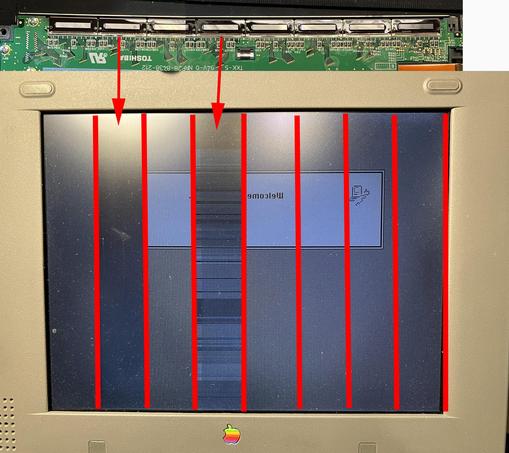
My current theory is capacitor problems affecting two specific connection areas determined by this diagram of the LCD flipping the display to match the rear.

But I reaaaallly don't want to break this LCD by trying to lift this board away and having those thin flex cables break.

#RetroComputing #VintageApple #VintageMac

Also related: anyone have an internal SCSI drive flat cable from the inside of a PowerBook Duo 230 or perhaps a dead Duo 230? I'd love to convert this to a BlueSCSI and get WiFi (the current drive and cable inside is IDE).

#RetroComputing #VintageApple #VintageMac

@paulrickards Those cables should be illegal.  
@paulrickards I sent my 2300c off to @techknight and it was the cable that was the issue. Pressure in the right placed "fixes" it.
@RonsCompVids @techknight Thanks! I talked with him yesterday and he said the same after working on one (likely yours!). So far I’ve been lucky to get the display back working, for how long I dunno.