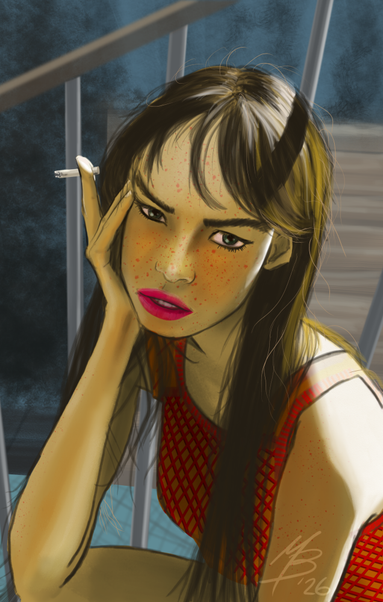
Another drawing from reference, done! Happy with how this turned out. Chose a reference with good light and shadows - I still see stuff to work on, and could have gone harder on the shadows, but, on to the next one!

Really happy with the Sketchbook App - getting better with the tools and options. Did waste an hour trying to create my own brush stamps...
#AutodeskSketchbook #SketchbookApp #MastoArt #FromRef

@mattb looks great, I love the light and shadow on her hair!

Did you come up with any revelations with the brush stamps? I've been using the default brushes so far but making my own would be handy

@milla Thank you very much! 😊 - the reference had the railing shadow on her hair, and I almost forgot to add it, but glad I put it in - it really makes it real for reals.

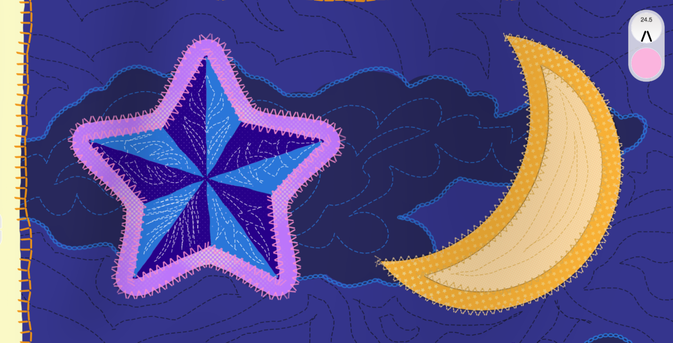
For stamps/nibs, in this blog post was a little template I tried to use: https://www.sketchbook.com/blog/creating-stitch-brushes

You need to buy the Premium Bundle to get the import stamp feature (I justified the cost 10 years ago from the amount of time I spent in the app - doing my own DailyDrawing challenge at the time!)

Creating Stitch Brushes — Sketchbook

It’s easy to customize brushes to make repeat patterns. This tip shows how to create quick straight stitches in any version of Sketchbook and how to customize Nib Shapes in Sketchbook Pro or with the Premium Bundle.

Sketchbook

I was trying to make a custom hair brush, and using default brush stamp patterns as a guide, drew and imported my own, but despite the dots I used, and playing with spacing settings and making sure I was exporting it with a transparent background, it kept drawing as a solid fountain-pen-like stroke.

So yeah, I gave up. But if I figure it out better, I'll @ you!