 Sindre Sorhus
New in Supercharge
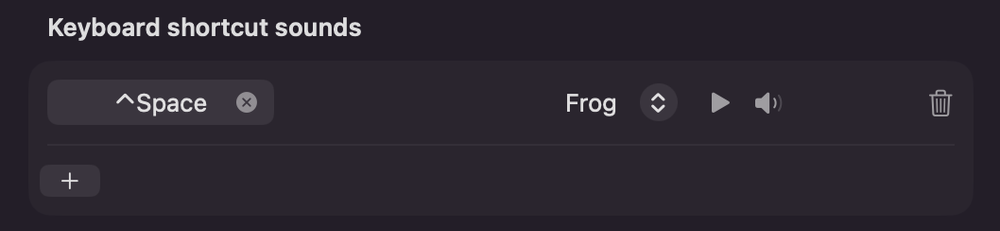
Add a sound effect to any keyboard shortcut
For example, play a sound when you open Spotlight
New in Supercharge
Add a sound effect to any keyboard shortcut
For example, play a sound when you open Spotlight
Some nice Finder improvements:
Reopen last closed Finder tab with ⇧⌘T
Paste image as file in Finder
Pressing ⌘V in Finder with an image on the clipboard now saves it as a file. Normally, this does nothing.
The rest:
Middle-click a folder in the Finder sidebar to open it in a new tab.
Archive old screenshots automatically
Prevent accidentally dragging text — Sometimes you accidentally drag text and it creates a .textClipping file.
Disable Universal Clipboard — Stops clipboard syncing with your other Apple devices without disabling Handoff.
For the Mission Control, you can now navigate between windows with arrow keys and press Return to bring one to the front.
Truly yeoman’s work. Thank you!
Thinking about using the new sounds with shortcuts feature to make my computer sound like the Enterprise D computers.
 Ernst
Ernst Kushal Pandya
 reflectivecone