RE: https://aus.social/@decryption/116172988490704948

Makes it very clear how artificially limited modern phones are.

I'm curious to see what the new desktop mode for Pixel phones is like. Although my Pixel 9a is nowhere near the calibre of a A18 or A19 SoC. https://www.androidauthority.com/desktop-mode-march-pixel-drop-3646069/
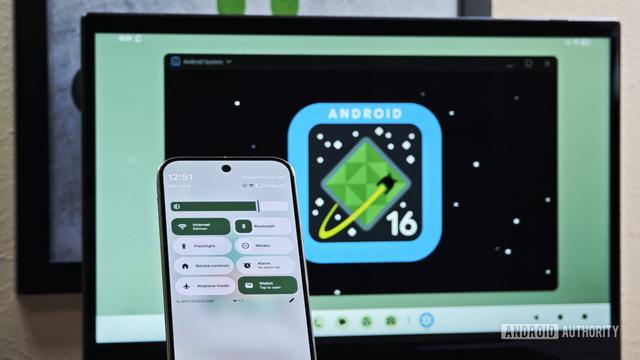
Your Pixel can now double up as a full Android PC with nothing more than a USB-C cable

Landing with the March Pixel Drop, your Google Pixel phone can now become a mini PC thanks to Android's Desktop Mode.

Android Authority
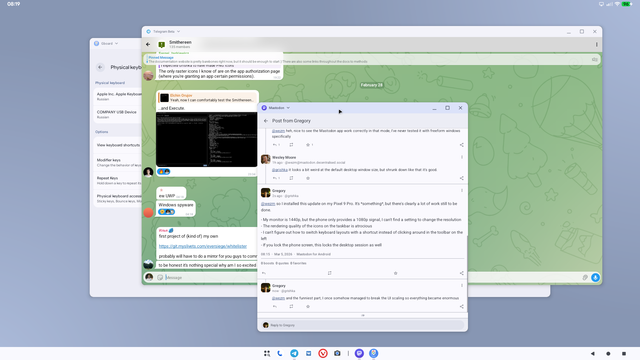
I tried out the new desktop mode on my Pixel 9a over lunch. It's a pretty decent first release. The window management is pretty good, with options for floating, half tiling, and multiple desktops. I couldn't work out how to move an app between desktops though. It doesn't seem to support HiDPI scaling, or maybe it doesn't support 4K. Connected to my 4K screen it outputs 1080p. Also not sure how you take screenshots. These are stills from a HDMI capture.
The (experimental) Terminal app that runs a full Linux VM was a bit flakey for me, and I couldn't work out how to change the font size on the default terminal tabs. The console view is readable though. I also couldn't get GUI apps to work. It tries to start Weston when logging in, but it fails.
Also it seems background applications can disappear if there's memory pressure. E.g. when I launched the Linux VM Terminal app, the Mattermost window in the background vanished. It's consistent with how things work normally, but you usually can't see the windows of background apps when it happens.
@wezm heh, nice to see the Mastodon app work correctly in that mode, I've never tested it with freeform windows specifically
@grishka it looks a bit weird at the default desktop window size, but shrunk down like that it's good.

@wezm so I installed this update on my Pixel 9 Pro. It's *something*, but there's clearly a lot of work still to be done.

- My monitor is 1440p, but the phone only provides a 1080p signal, I can't find a setting to change the resolution
- The rendering quality of the icons on the taskbar is atrocious
- I can't figure out how to switch keyboard layouts with a shortcut instead of clicking around in the toolbar on the left
- If you lock the phone screen, this locks the desktop session as well
@wezm and the funniest part, I once somehow managed to break the UI scaling so everything became enormous
@wezm finally figured out how to take screenshots, it's Cmd/Win+S. And Ctrl+space to switch layouts
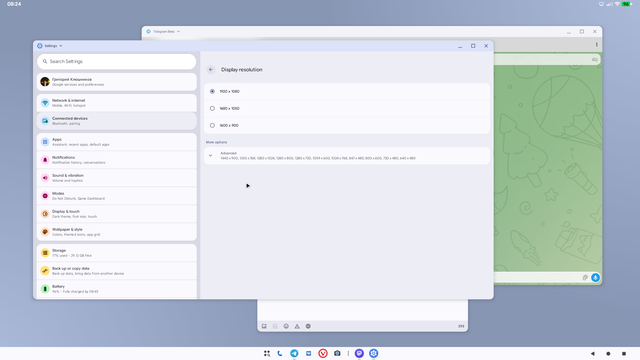
@wezm and there *is* actually a setting for screen resolution, I managed to find it using search because I would've never guessed to look for it under "connected devices", but it doesn't go higher than 1080p anyway. I'm not sure what's the problem here because my MacBook does go up to the full 1440p using the same cable
@grishka I've seen that too. In the session I recorded, Mattermost initially opened with everything giant. I had to stop and start it again to get the size right. It's possible it has something to do with whether the app is already running when desktop mode is started.