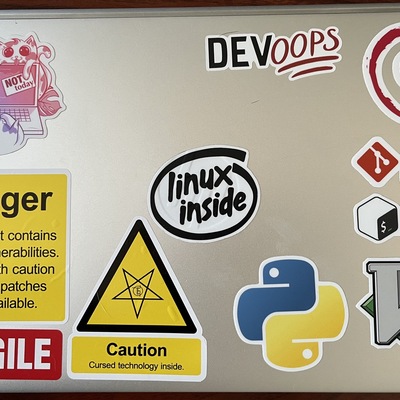
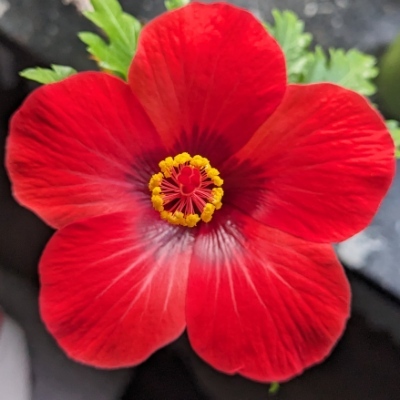
I enjoy when using tech tools on my extremely femme-gendered hobby projects makes them feel out-of-genre important

What an interesting way to trigger some stereotype incongruence and realize how much "tech weight" we give things just by all these relatively shallow signifiers

Look at that font. She must have a hacker brain
Are there things that make work "look Technical" to you? Are there secret signifiers you have become aware of? I love hearing people notice these things
@grimalkina it used to be ability in traversing layers of abstraction. it doesn't work more though, nor is it a useful measure for me
@grimalkina That cornsilk background and font 100% techie 😀
@grimalkina off the top of my head: monospaced fonts, dark mode, hosting things in source control, customer service with issue trackers rather than ticketing systems, Markdown (sort of, that gets complicated), command-line instructions or aesthetics
@glyph I CANNOT do dark mode ! But I love making silly dark mode versions of plots, so matrix

@grimalkina @glyph

Why don't you like dark mode? Most developers I know love it, including me

@eljorgeabides @glyph it triggers headaches for me for some reason, I'm not sure why. But I have some complex eyesight issues that differ between my eyes so it's kind of a neurological+vision thing

@grimalkina @glyph

Ah ok. That's why I prefer dark mode. The light mode strains my eyes.

People are so weird

@eljorgeabides @glyph yeah brains handle the same stimuli very differently sometimes!
@grimalkina @eljorgeabides @glyph Not just brains, but also eyes! Someone on here (I've forgotten who and can't find the thread after a quick search; sorry) was observing recently that there are optical reasons someone with astigmatism will see dark-on-light things more clearly than than light-on-dark. Certainly true for me.

@grimalkina @eljorgeabides @glyph somewhat related to dark mode and “technical” looking things, this critique of syntax highlighting was excellent and i installed it in my environment and am enjoying a better reading experience

https://tonsky.me/blog/syntax-highlighting/

I am sorry, but everyone is getting syntax highlighting wrong

Applying human ergonomics and design principles to syntax highlighting

tonsky.me
@arosien @grimalkina @eljorgeabides I can respect that critique, but I go the opposite direction: https://github.com/Fanael/rainbow-identifiers
GitHub - Fanael/rainbow-identifiers: Rainbow identifier highlighting for Emacs

Rainbow identifier highlighting for Emacs. Contribute to Fanael/rainbow-identifiers development by creating an account on GitHub.

GitHub
@grimalkina oh this reminds me. Because I understand these conflicting requirements I always try to keep the stylesheets on https://blog.glyph.im looking good and cohesive in light mode. but, also because of my own particular vision issues, I basically never actually *look* at it in light mode. As you are one of the few regular light mode users, if you ever see some wonky styling errors please let me know!
Deciphering Glyph :: index

Deciphering Glyph, the blog of Glyph Lefkowitz.

@glyph Looks fine to this light mode user. The headings are in a statement font, for sure.
@jmeowmeow my font choices are at what I would consider the outside acceptable edge of legibility in order to be distinctive :)
@jmeowmeow although arguably somewhat *more* legible than i.e. Mastodon, since I was careful to pick one that allowed for visually distinguishing "I" and "l"
@jmeowmeow in any case: thank you!

@glyph arrrrrgh

1 I l |

@glyph and whatever happened to user style sheets?

gone with the snows of Web 1.0

@glyph @grimalkina dry and formal prose, muted colors [not the case for VC/AI stuff but i do not internally think of that as "technical"]
@glyph @grimalkina gratuitous use of acronyms, especially if introduced without explanation
@whitequark @glyph this one constantly making me mad. The Fancy Names for everything and you get in there and you're like "it's JUST THIS?"
@grimalkina @glyph I know a lot of people have this reaction but mine is to assume upfront that each Fancy Name refers to something relatively straightforward (but very specific) so I don't let it bother me much
@whitequark @glyph I think this is really helpful
@grimalkina @glyph (this as in, the kind of reaction I have or the explanation I wrote?)
@whitequark @glyph developing the reaction seems really helpful! And it's one I think I'm getting toward as well
@grimalkina @glyph yep! I do my best to encourage this (and more generally demystify the "techy" bits) whenever I talk to, really, anyone interested in it but especially people without a more traditional background; I want it to be fun, not a source of anxiety, insecurity, or fear, and "I bet you can understand these things despite how they may look" is I think pretty key to it
@glyph @grimalkina +1 to dark mode. "I've... seen things"
@vic @grimalkina there are practical origins to almost all of this. For example, with respect to dark mode, I am old enough to remember discussing raster burn (both senses) at work, and OLED displays are bringing it back (both senses) now. People do have different reactions but for most folks, over the long term, day-long coding sessions on large screens in light mode is a recipe for headaches and brutal eye strain
@glyph @vic (it depends on your situation though, neurology of eyesight is very individual -- I have v complex eyesight with a lot of opposing needs and dark mode immediately gives me headaches and eyestrain. Something about the high contrast is super triggering for me)
@glyph @vic but yeah, signifiers definitely usually have histories with meaning! Still troublesome when they BECOME the meaning
@grimalkina @vic "low contrast" is also such a signifier, perhaps a stronger one than "dark mode" for exactly your reasons. In the 80s, 90s, and 00s when the programmer population was growing really rapidly and thus most were very young, "programmer themes" featured a lot of fullbright green on pitch black. Now that growth has slowed and the population has aged, almost all color schemes are cream-on-dark-grey or vice versa. (I believe you're using Solarized/Light or some derivative, there?)
@glyph @vic hahahhaha omg!! I did not consider an aging population effect but of course! Yes this is solarized light!
@grimalkina @vic not saying that you "should" be using dark mode or that the reduced contrast would address your needs — I know exactly what you're talking about with opposing needs. bright-on-dark, even at low contrast, creates problems for me with astigmatism, they're just not as bad as the problems I get from floaters in light mode, not to mention focus tension. I could imagine a situation where these were reversed.
@glyph @vic I have no perfect solution or strong opinion on any of it, to be honest, I am just in a lifelong battle with my eyesight 😭 a big challenge when writing my book actually
@grimalkina @vic if I were going to give advice it would be to get a 20/20/20 timer app if you don't already have one; literally changed my life and all but eliminated constant eyelid twitching I've had since childhood and that is advice which I believe *does* universalize pretty well
@glyph @vic thank you, I have heard that, and I should do it. This is the nudge I needed to commit :)

@grimalkina @vic forewarning: they are all extremely annoying and you will almost certainly want to turn them off or ignore the interruption. one of these days I'm going to write my own that addresses my long laundry list of issues with https://apps.apple.com/us/app/intermission-breaks-for-eyes/id1439431081 but in the meanwhile I keep using it because I don't want my eyes to roll out of my head

(Author's site is https://tryintermission.com but the cert is recently expired; hopefully they fix it)

Intermission - Breaks For Eyes App - App Store

Download Intermission - Breaks For Eyes by Alex Greene on the App Store. See screenshots, ratings and reviews, user tips, and more apps like Intermission -…

App Store
@glyph @grimalkina @vic my phone and watch are grayscale, my home Linux machines run a 50% grayscale filter, unfortunately my work machine (the one I access everything through anyway) is Windows 11 and while it supports partial application of all other accessibility color filters does not allow one to partially apply the grayscale filter to desaturate the whole display…
@glyph @grimalkina @vic
Another potential reason for the 80s and 90s starting with green on black themes is many of the developers who had been around longer were used to coding in "green screen" terminals or displays. Color monitors were expensive and not always supported by midrange and mainframe computer systems.
@AdamDavis @grimalkina @vic Yeah thanks for raising this, I was out and about by the time I remembered to mention green and amber monochrome displays.
@glyph @grimalkina Dimensioned drawings and laboratory glassware, especially condenser coils.
@glyph @grimalkina diagrams in Visio/Figma, as opposed to Miro boards which tend to be used by people coded as non-technical
@glyph @grimalkina additionally, using keyboard shortcuts and macros; anything that involves changing options, installing additional software. Particularly in corporate environments where non-technical staff don't usually have rights to install anything, having non standard software installed is a flex of sorts

@flexasync @glyph @grimalkina
I am that cliché.

Using a different keyboard layout.
Know how to exit vim
And the extension of that: use vim keybindings wherever possible.

But then again, I knew/know some brilliant techy people who where pretty vanilla operating system persons 🤷‍♂️

@Garonenur @flexasync @glyph that is why these are stereotype associations, not maps to reality!
@Garonenur @glyph @grimalkina can definitely go different ways. Apart from dark mode, which does help me, I try to minimise customising the OS these days, I just make sure I install my toolkit

@flexasync @glyph @grimalkina

In a corporate environ I would prefer to get a closed corporate machine - with the only extension, that I can run a virtual machine in it.
That will be heavily customized - which reduces all the setup, if I have to switch machines (just take the VM with me) and does not require me to have admin/installation rights in a corporate environment.
but I digress

@glyph @grimalkina command line stuff makes me think of any use of abbreviations, which is common in cli flags, etc.
@grimalkina super fast updating little bits of texts. Like when updating, installing all the packages. Similar in the command line, lines of text automatically updating, scrolling upwards.

@grimalkina I am starting a new job and had to read a bunch of starting paperwork, all of which used the Calibri font face. Which has a ton of subtext, regardless of what the paperwork actually says, about the company culture.

Like, say, imagine that same paperwork in Computer Modern, from LaTeX, and the very different signals that would send about the company.

Obviously, we love to make fun of Comic Sans or Papyrus, but even the very boring default font faces do send signals.

@ricko Rick you have to tell us what those signals are saying to you because some people* don't know!!

*me, although maybe if I tested myself on implicit associations I would, just don't know fonts that well of the top of my head

@grimalkina Hahahaha. Totally fair.

Okay, so Calibri has been the default "business" font in MS Office for almost 20 years now, designed to replace Arial for new high-density displays and better kerning.

To overgeneralize, many businesses will use Calibri because it is bland and inoffensive, and the opposite of eye-catching: it just sort of fades into the background. [1] Thus, it's great (sarcasm) to use for all kinds of corporate proclamations which come "down from above" without any human names attached.

Computer Modern is the font you see on most research papers, because it's the default for LaTeX, which is like Word but for people who need lots of equations everywhere. If used for corp docs, it might signal comfortable familiarity to other researchers, but would probably put everyone else on alert.

  • Once, you could make the point that Calibri was used because it was "installed everywhere", but modern IT device management makes font distribution trivial, so this isn't a driver anymore.

  • @ricko excellent. I use LaTeX sometimes and have hahaha, a funny different reaction which is that this is the Computer Science Faculty font that sometimes makes me look like I don't gaf about doing anything actionable 😂 but I do have fondness for it! Different backgrounds colliding there

    @grimalkina Yeah, I feel like the LaTeX fonts and classes/layouts generally give off strong signals of density and heft. Like, to read this thing you're really going to have to sit and concentrate on every word — skimming won't cut it.

    Using it to signal you don't want to do anything actionable seems pretty well aligned with how I'd interpret it.

    @ricko @grimalkina "most research papers" is itself discipline specific. It reads to me as "this is a math/physics/CS person."

    I didn't realize what biases I was bringing to the table alongside that read until I saw some really wild manifesto, maybe 10-15 years ago, that appeared to have been typeset in LaTeX. The incongruity between my assumptions and the quality of the words was a welcome wake-up call.

    @grimalkina this reminds me of Don't Stop, Girlypop! which did the inverse
    @multisn8 the inverse is also EXCELLENT. Anything that brings chaos to the associations teaches us they're there!