I made a thing.

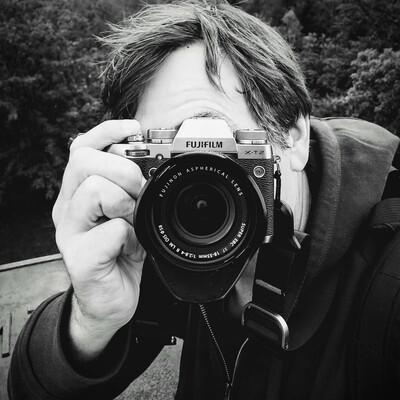
I have been doing all my #Photography with a #Fujifilm camera since 2023 and I've always used @darktable for RAW development.

One thing which irked me was that the Fujifilm JPEGs look so nice and I was unable to get close to that with my #darktable skills.

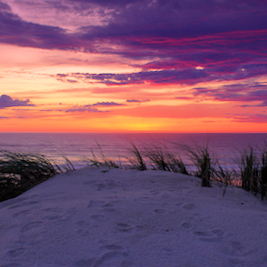
So I spent a couple weeks last year making styles for almost every "Film Simulation". Go check them out below and let me know what you think. They work for all RAWs, by the way, not just Fujifilm 😏 .

https://jssfr.de/dtsolve/2026-01-02-darktable-styles-fujifilm.html

Darktable Styles mimicing Fujifilm's Film Simulations

I made Darktable styles which look quite close to what Fujifilm does with its Film Simulations on X-series interchangable (and non-interchangable, I suppose) lens cameras.

jssfr.de
Looks like the preview tool was broken in the English version of the post … Fixed now, but you might need to purge your caches.

@jssfr @[email protected]

Great work! I mainly use Capture One which does support all the Fujifilm simulations out of the box, but I agree they're still not 100% the same as the JPEGs. Thanks for bringing some of this to open source!

@jssfr @darktable I really like that you've built a reusable framework with dtsolve. I especially love the templating system.
@jssfr @darktable thanks a lot for sharing. Will try it in the next days.
Sounds very promising!
@jssfr @darktable
@jssfr @darktable
Thank you very much for writing and sharing this fantastic article.

@jssfr @darktable

Thank you so much for the great tool dtsolve. I'd been looking for something like this for a while. My first attempt, however, took over 36 hours for the color style on my notebook without a dedicated GPU 🫣. But the result was very good. 👍

@jssfr @[email protected] thx for this. I tried to use the styles with my Fujifilm X-T2 images, but they are far off how the jpg's look like. do i have to create my own version of styles with dtsolve for X-T2 or is this supposed to work with X-T2 as well?

@mrtango I would expect this to work with the X-T2 RAFs, too.

Make sure you don't have any presets configured which may interfere. Make sure to set the color calibration module to "as shot in camera" as a starting point.

If that doesn't help, a side-by-side image of the differences you're seeing + a screenshot of the darktable modules which are enabled would be helpful.

Also make sure you use Darktable 5.4 or newer, I think older Darktable versions will just silently ignore the AgX module (which was introduced with 5.4) and that will definitely cause issues.

Finally, make sure that the images you're trying this on do not have any other Fujifilm magic enabled, such as DR200/DR400, tone curve adjustments, color chrome fx or anything like that.