Leaving spotify, offline music options?

https://lemmy.world/post/43150690

Leaving spotify, offline music options? - Lemmy.World

So as the title suggests I’m looking to leave behind Spotify for many obvious reasons over the previous years. I’m thinking that because of my fairly limited music library that I should just stick with an offline library. However I want the option to expand it as I find new music here and there. I know that I can use things such as Jellyfin to organise a library on my PC, but are there good options to “sync” the library to my phone other than just simply drag and drop the media?

Thanks for all the advice here!

Soulseek/Nicotine+ has been excellent for filling out my library of music, Syncthing is a very clear winner for syncing all of my music to my phone, I’ve begun using Symphony for playing my music too.

It’s honestly revived my love for music! Goodbye spotify

Well, for starters you could start buying CDs again and then do your own FLAC rips from those.
Where do you gets CDs?
Thrift shops, dedicated music stores if any still exist in your local area, and even niche online stores like Discogs, among other sellers.
I get them from ebay. If you sort by lowest price + shipping first, you can pick up tons of music you’re looking for on the cheap. Just gotta be consistent in searching, as listings come and go all the time.
Library
Now we’re talking
My library even has a streaming service that lets you download a few songs per month.

Ironically, nowadays, it’s easier to get the LP. I buy them directly at the concert, and they come with a bandcamp voucher so you can also download the album.

For more popular band, you now get very nice albums fulls of goodies, which also feature a CD

Thrift stores is a great place to start
Estate sales are another option, though your mileage may vary.
Syncthing might work for your usecase. It only syncs if both devices are in the same network though.
You can use synchting even if you are not in your local network. You can enable global discovery in the settings. Synching then connects to their server to provide the correct IP to your corresponding devices. Your devices connect directly with each other via P2P. Just like torrents.
But it means my computer has to be always on doesn’t it
SoulSeek
Even Better: Nicotine+
ooo that looks nice!
The only thing I didn’t get is the search function. You search a song and then dig through the results for it and you might find it
Ye. It takes a little bit of effort to finde the right file you’r searching for. It all depends on how well the other users sorted their files. Your basically searching through a global hard-drive of hundreds of users. And everyone has a different understanding of how to name and sort files properly.
If you’re a Docker enjoyer, slskd is IMO an even better experience than N+
GitHub - slskd/slskd: A modern client-server application for the Soulseek file sharing network.

A modern client-server application for the Soulseek file sharing network. - slskd/slskd

GitHub
Im using syncthing to sync my music with my phone. It’s really easy to setup and reliable. As a mediaplay on your PC I can really recommend Fooyin cause it’s fast, highly customizable, and has good searching functionality. On my Phone I’m running Symphony. Everything is FOSS of course :)
You can selfhost a navidrome server and stream the files from there. I dont know how tech savy you are but that is what I do.

Have you considered a DAP (Digital Audio Player)? It’s an MP3 player. The beginner ones people like are typically the Innioasis Y1 and the Fiio Snowsky Echo. There’s a million options. I have the Y1. I like it so much that I’ll probably invest in a high quality.

Connect with USB and drag and drop.

I went back to using a DAP in the car, at work, and on the go. Migrating back to single-function devices is the way.
This is one thing I have definitely considered! Do they come with Bluetooth as this would be good for the car too!
Yes they pretty much all do
If you are already doing Jellyfin, you can sync as much or little to your phone as you want. Just use finamp. It’s a very nice player for Android that connects to your Jellyfin and allows you to download any synced music on the go or stream it directly.
GitHub - UnicornsOnLSD/finamp: A Jellyfin music client for mobile

A Jellyfin music client for mobile. Contribute to UnicornsOnLSD/finamp development by creating an account on GitHub.

GitHub
Drag and drop’s gonna be your best bet. Use whatever phone ap to build playlists the like and sort it that way.

However I want the option to expand it as I find new music here and there.

With Jellyfin or other self hosted media player you’ll be able to add files as you like. I usually buy music in FLAC format from Bandcamp and Qobuz to add to my own library. That’s in addition to other music I ripped from CDs over the years.

but are there good options to “sync” the library to my phone other than just simply drag and drop the media?

Some Jellyfin apps have an offline mode (Finamp is one of them) so you can stream music online from your Jellyfin server or mark albums/songs to download within the app and then be able to play that music offline. I use it since I don’t have unlimited mobile data but still want to have some music on my phone for offline play. Not sure if that’s the best way but so far it works for my usage.

That’s basically exactly what I’m doing, except I use Navidrome as my media server and Symfonium as my Android client. Works brilliantly for me, no complaints.
🏴‍☠️"Drink up, me harties! YO-HO!"🏴‍☠️
Sailing the high seas is definitely on the cards!

If you don’t know about soulseek, hit up [email protected]

It’s been by far the most effective way to actually find files.

Google EeveeSpotify, SpotX, and SpotC++ (depending on your platform of choice). Basically patches the stock app to remove ads and playback restrictions, plus other nice quality of life features.

Jellyfin, then use Syncthing to sync it to any other device you want, whether that’s your phone, or another PC/laptop.

I have that exact system myself, and it works quite well. However, the main downside is that unless you’re using a client that can support it somehow, your playlists won’t sync, only the music files themselves, so if you make a playlist on your phone’s music player, it wouldn’t sync to your PC’s Jellyfin instance, and vice versa.

What is Jellyfin’s value add in a setup like this?

Jellyfin is just a good media player. Syncthing is a file syncing tool.

What do you mean by “one or the other”?

The Jellyfin app already supports local downloads. And if using Syncthing to get your files locally you can use any player

The Jellyfin app already supports local downloads.

Isn’t that just on a file-by-file basis though? I just assume most people won’t have an easy way to tunnel into their home network if they’re out to do streaming, and won’t go through the effort of downloading songs one by one, so Syncthing is just a good middle ground to copy all your music between devices and be done with it imo.

Isn’t that just on a file-by-file basis though?

Yeah it’s like any other music streaming app

I just assume most people won’t have an easy way to tunnel into their home network if they’re out to do streaming

I’m thoroughly confused now. Are you using the Jellyfin app (or something hooked up to your server) on your phone or nah? If not, I would consider that a Syncthing-only setup, since it could be pointed to Plex or any files. No judgment and it’s fine if you disagree. I’m just curious what tools people use and how they use them

Yeah it’s like any other music streaming app

I’m thoroughly confused now

What I mean is that if I don’t have a connection to my home network where all my music is stored, but I want to access it locally on my phone, I am not going to open the Jellyfin app and individually download every single song in my library one-by-one just so I can listen to them on my phone.

As far as I’m aware, Jellyfin doesn’t have an option to simply “sync entire music library” to your phone offline, only download songs one-by-one when you want to download one in particular.

Are you using the Jellyfin app (or something hooked up to your server) on your phone or nah?

Jellyfin on my PC, an entirely separate Android app (Retro Music) on my phone because I prefer the UI.

I use Syncthing to give both my home PC running Jellyfin and my phone with Retro Music the same music library without needing an internet connection between either to work.

Sorry for the confusion, I think now I’m confused myself 💀

Retro Music | F-Droid - Free and Open Source Android App Repository

Material You Design Music player for Android

My combo is Jellyfin+Symfonium

With Symfonium you can manually download playlists and favorites for offline, and/or have a “rolling cache” where the most frequent listens are automatically kept synced for offline listening.

My collection is far too large to keep on my phone in its entirety, but with Symfonium I don’t need to, and if I’m ever caught without internet, I’ve still plenty to listen to.

Jellyfin does not organize the music, it’s a way to browse and access it. For a nice client for desktop, look at Feishin.

To actually organize the music, you want something like Picard.

Is it on F-Droid? It’s a PITA to install play store apps because I’d have to install play store (bleh) so I’m hoping symfonium has a github or something so I could use Obtainium.

Symfonium is not open source. It is a paid app by a helpful and responsive sole dev.

If you want FOSS, that’s Finamp. But it is not as good. It does also implement offline play features.

The Symfonium dev has responded to and implemented two requests of mine, making me quite happy to pay for and mention their app.

I think a couple of the Android MP3 player apps offer library syncing with PC music library managers. I think that Gone Mad Music Player will sync with MusicBee over Wi-Fi.

Personally, I wound up just loading files directly to a DAP because it’s just easier with the amount of music I’m loading at any given time.

If you have a ugreen nas. I suggest the ugreen nas app as the music player. It has one feature i have been missing from all other players:

Delete from your playing source (network storage)

It’s gone downhill in some regards (enshittification for free accounts), but I’m still using Plex and plexamp for my audio setup. Works equivalent to a self hosted Spotify.

Musopen DVD

For some PD classical music.

The Musopen DVD : Aaron Dunn : Free Download, Borrow, and Streaming : Internet Archive

Musopen Kickstarter Music (DVD Compilation) Musopen (www.musopen.org) is a non-profit dedicated to providing copyright free music content: music recordings,...

Internet Archive
I have nextcloud server and Inuse Power Ampache 2 to stream directly from it
I found an old $5 mp3 player in a discount bin and get my CD’s from the local library where I convert them to mp3’s. CD’s from the library give you quite an eclectic mix of music. I just delete my mp3 files from time to time, knowing I can get them at the local library again.

You can use Tailscale to connect to a server remotely and just stream all of your music.

And I would recommend Syncthing to sync a “favorites” folder to your phone so you always have your favorite music.

I’m not sure if Plex is still viable to stream your own music content without paying…but it is an option.

GitHub - afkarxyz/SpotiFLAC: Get Spotify tracks in true FLAC from Tidal, Qobuz & Amazon Music — no account required.

Get Spotify tracks in true FLAC from Tidal, Qobuz & Amazon Music — no account required. - afkarxyz/SpotiFLAC

GitHub
Syncthing? Personally I just use my nextcloud server. Autosyncs every 15 or so minutes to my phone, and from PC it’s automatic.
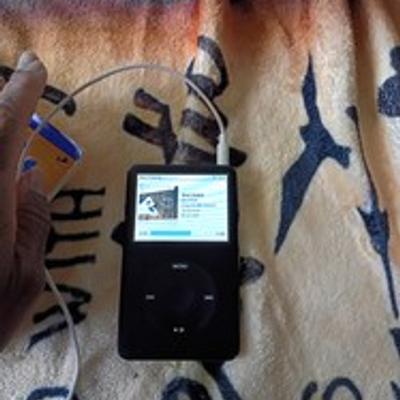
Go on eBay and buy some iPods. You’ll need a new battery and new storage but it’s available and very easy to do. Also, check out some YouTube videos on iPods and iPod upgrading
If you are wanting to pay, I’ve been happy with TIDAL. Cheaper, pays the artists more, offline download available, and importing your entire Spotify library is not many clicks. Playlists, likes, everything
Not off line at all, but I have been using funkwhale, guess you can upload your own personal pod. I do use a third party pod, but that is 'cause I’m ignorant on how to create my own server to stream my music.

I think one of the aspects here is you want for drag and drop. Self hosting and jellyfin etc do take time and some resources inc storage and vpn to setup. It’s not as simple as I just want that song.

There is a hunt through soulseek to find the right song. Then there is the making sure it goes to the right place. Then the file name, matching albums covers etc and general library management. Then setting up vpn etc to your phone

It’s a learning curve and then is still not a setup where it’s just find an add. But it’s a step away from big tech.