🇮🇷 Update: Brief returns of internet access are driving spikes in Snowflake usage. Please help us run more proxies if you can. ❄️ snowflake.torproject.org

The easiest ways to run Snowflake is by using Tor Browser, Orbot, or installing the browser add on in your current browser. Extra capacity helps people in Iran stay connected when the network comes back online.


@torproject

Some LINK would be nice.

Snowflake – Holen Sie sich diese Erweiterung für 🦊 Firefox (de)

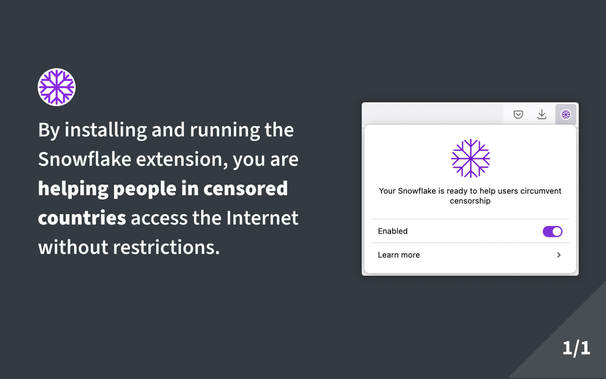
Laden Sie Snowflake für Firefox herunter. Help people in censored countries access the Internet without restrictions. Once you install and enable the extension, wait for the snowflake icon to turn green, this means a censored user is connecting through your extension to access the Internet!

@joevan @torproject

Found it. But I do know for certain, that many folks do such stuff if they find a clickable link in the post … and if not "they will look into it later"

@joevan @Ann_Effes @torproject Are we talking about security here?
Having this as a browser extension, next to my banking, email, docs and all, sounds a little crazy. This should be a process running under its own user.

@OndrejZizka @Ann_Effes @torproject

For LINUX:

- it is open source
- it runs in the context of Firefox
- it does not need any additional rights

For WINDOWS:

- everything is always not secure

@OndrejZizka @Ann_Effes @torproject

But if you are concerned: Buy a used Raspberry Pi, install the OS and Docker. Run Snowflake in a docker container:

https://community.torproject.org/relay/setup/snowflake/standalone/docker/

20 to 30 bucks and 30 minutes to install everything

Tor Project | Docker setup

Defend yourself against tracking and surveillance. Circumvent censorship. | Docker setup

@joevan @OndrejZizka @torproject

Why the docker container? Makes things more complicated for beginners and does not add to security if you have a dedicated RPi anyways.

@Ann_Effes @OndrejZizka @torproject Complicated? - No, the setup was very easy. And I am not very familar with Docker.

@joevan @OndrejZizka @torproject

Well … as it is one step more than just installing OS it IS in purely factual terms already more complicated.

Please note that real newbees do not even know what docker IS. So being "not very familliar" is already an advanced level of understanding.

I mean: if you want to convince people who are new to RPi we should keep it as simple as possible.

Using Docker in a single use scenario suits no purpose ... or maybe I do not get it.

@Ann_Effes @OndrejZizka @torproject I will make a short tutorial tomorrow. Very beginner friendly...now it's time to sleep.

@joevan @OndrejZizka @torproject

Cool, but … just do be sure: The question I have is not: "How do I use Docker on a RPi?"
but
"Why should I use Docker on an RPi, especially if I am running only one service?"

@Ann_Effes @joevan @torproject It can give you some convenience. The image is already prepared with almost no need for setup. Versus possible complicated config and setup for a custom system.

@OndrejZizka @joevan @torproject

I use about 4 browsers, each for a certain purpose. I installed the extension in Brave, which I use for test purposes only, nothing serious.

I considered installing it on one of my servers, but my network setup is quite strange (double NAT with IP blackholeing) and because of that it would not work actually.

(And I am on a Mac , not Windows)