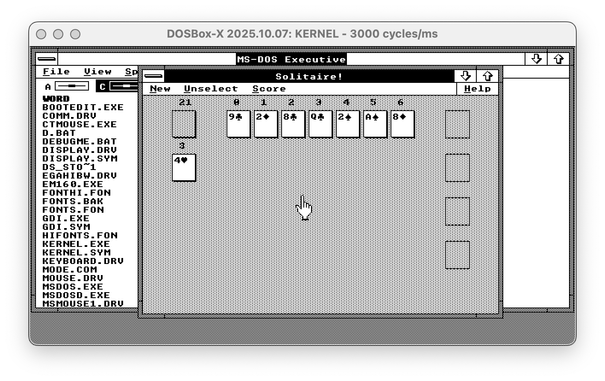
I discovered a wonderful hack that likely would allow me to run Windows 2 on my vintage Apricot PC Xi before the New Year.

Quick recap: Apricot PC is a British computer from 1983, not compatible with the IBM PC. It had a Windows 1 port, but not Windows 2, and thus couldn't run Word, Excel, or Illustrator. With a bit of driver-writing, I managed to start Windows 2 on it, but my video driver is rudimentary and cannot be used for practical purposes. Windows video drivers are super-complicated, so I was fully expecting to spend over a month writing one (at least there are docs for everything!)

But I just discovered a way to run Windows 2 with Windows 1 video drivers. So if I had a Windows 1 driver for Apricot, I could use it in Windows 2. Of course, it's never that simple...

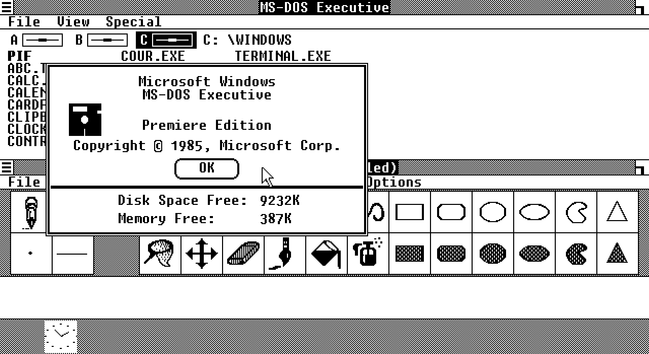
Find the difference between Windows 2 with Win1 driver and Windows 2 with the real Win2 driver - both are EGA 640x350!

🧵 thread with a few more screenshots and pointers
As you might know, graphical drivers for Windows 1/2/3 are _complicated_. They are expected to implement a huge chunk of Windows GDI, the graphical abstraction library. This means they're responsible for drawing parts of the window decorations, and so on.

You also might remember that Windows 1 had window decorations _completely_ different from Windows 2, as it was using tiled windows instead of overlapping ones. But for some reason, Windows 1 video drivers can render floating windows just fine, and even can draw minimize and maximize buttons.

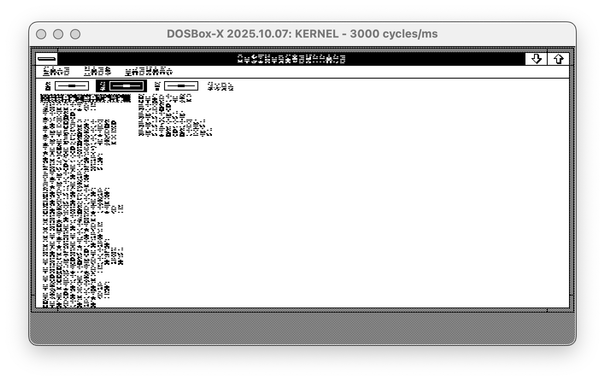
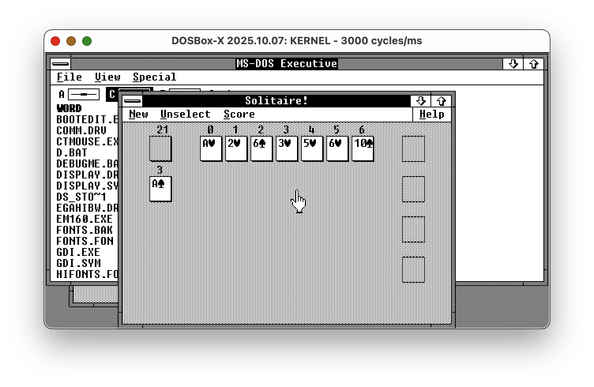
However, Windows 1 drivers handle fonts in a different way. Windows 2 is supposed to offer a new Font API, but most apps are using the legacy entry point for ExtTextOut. The font format is completely different, though. So, imagine you transplant a Windows 1 driver to the Windows 2 system. The second screenshot is what you get.

(🧵2/? continue)

All my previous experiments with Windows 2 running on Windows 1 drivers ended here. But I had a stray thought: if fonts for Windows 1 and Windows 2 are different, maybe I can just bring fonts from Windows 1?

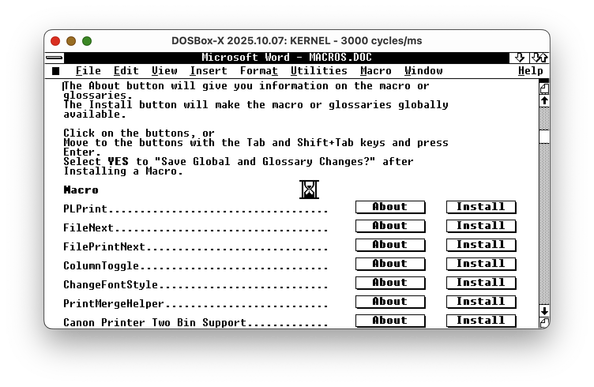
Turns out, I can! Windows 2 with Windows 1 video driver and fonts seems to work as expected - I can run Word, I can run little games, I probably should be able to run most, if not all, programs this way.

The fonts are different from the regular Windows 2, but who cares if it works, right?

So... circling back to the beginning of the thread: for my Windows 2 on Apricot PC port, I can just use the existing Windows 1 driver!

...Except I can't. Windows 1&2 use a thing called "fast boot"; the SETUP tool links all the drivers together in WIN100.BIN and WIN100.OVL files. The only Apricot PC video driver available is hard-linked to the Windows kernel.

So, my next task is to unlink the driver from the kernel. But this is far easier than writing a new driver.

🧵 3/3 fin~

@nina_kali_nina Yay! Another 100% deranged and unnecessary software project.

The only software projects worth doing :)

5/5 stars.

@nina_kali_nina I have an old Epson word processor with a z80, I wonder if I could port cp/m to it and run zork...
@hp yes yes yes do it ha ha