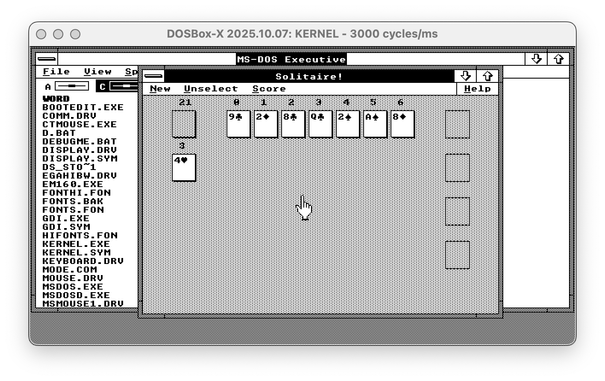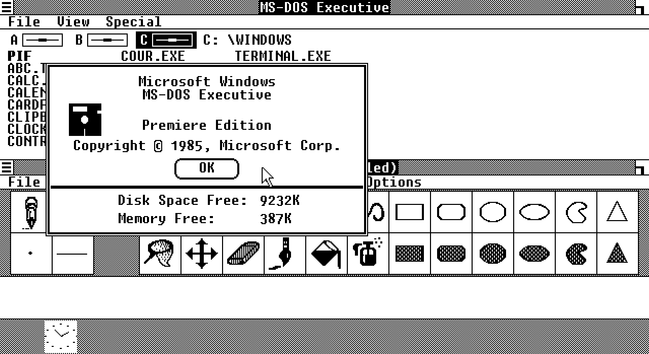
I discovered a wonderful hack that likely would allow me to run Windows 2 on my vintage Apricot PC Xi before the New Year.

Quick recap: Apricot PC is a British computer from 1983, not compatible with the IBM PC. It had a Windows 1 port, but not Windows 2, and thus couldn't run Word, Excel, or Illustrator. With a bit of driver-writing, I managed to start Windows 2 on it, but my video driver is rudimentary and cannot be used for practical purposes. Windows video drivers are super-complicated, so I was fully expecting to spend over a month writing one (at least there are docs for everything!)

But I just discovered a way to run Windows 2 with Windows 1 video drivers. So if I had a Windows 1 driver for Apricot, I could use it in Windows 2. Of course, it's never that simple...

Find the difference between Windows 2 with Win1 driver and Windows 2 with the real Win2 driver - both are EGA 640x350!

🧵 thread with a few more screenshots and pointers
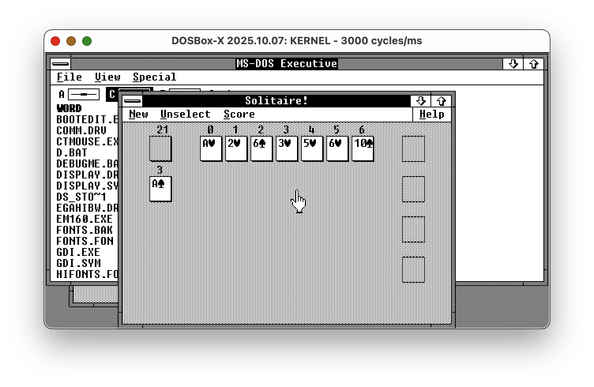
As you might know, graphical drivers for Windows 1/2/3 are _complicated_. They are expected to implement a huge chunk of Windows GDI, the graphical abstraction library. This means they're responsible for drawing parts of the window decorations, and so on.

You also might remember that Windows 1 had window decorations _completely_ different from Windows 2, as it was using tiled windows instead of overlapping ones. But for some reason, Windows 1 video drivers can render floating windows just fine, and even can draw minimize and maximize buttons.

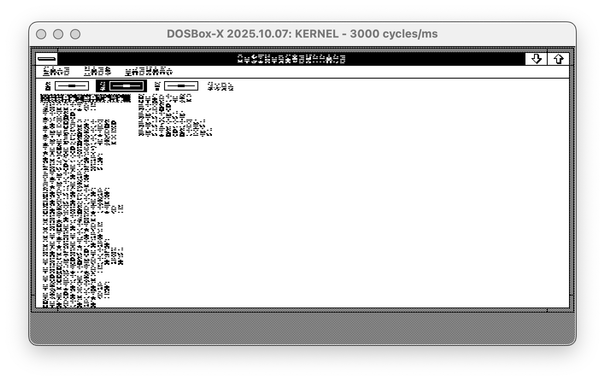
However, Windows 1 drivers handle fonts in a different way. Windows 2 is supposed to offer a new Font API, but most apps are using the legacy entry point for ExtTextOut. The font format is completely different, though. So, imagine you transplant a Windows 1 driver to the Windows 2 system. The second screenshot is what you get.

(🧵2/? continue)

@nina_kali_nina

But for some reason, Windows 1 video drivers can render floating windows just fine, and even can draw minimize and maximize buttons.

yeah, there were Windows 1.x apps that actually had floating windows, I saw one over a decade ago while I daily drived it…. then again, it was just for dialogs, as far as I recall

@xerz what fascinated me the most is that the minimize-maximize icons are there. I didn't expect them to be there! Window title bars and buttons are drawn by the video driver itself, so I expected them to at least look Windows-1-ish. But no, they look like Windows 2 out of the box. A miracle.