Dear Apple,

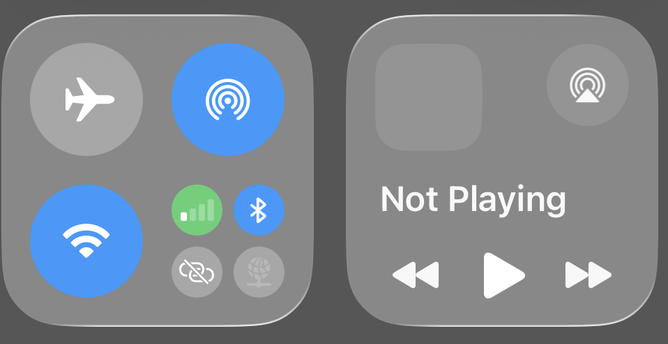
I can’t tell which of these buttons is on. How do I disable Liquid Glass entirely?

Please?

I could have sworn I had reduce transparency already enabled in accessibility. Who turned it off?
Oh. I had the display & brightness toggle for tinted in my memory, not the accessibility toggle.
Tinted and reduced transparency. It removed the background colour before drawing the control center
@doofus_canadensis There is a "tinted" option in Displays on iOS now, if you disable "reduce transparency". it's the most useful setting to date. it does not seem to exist on macOS.
@sungo turns out I was remembering that tinted option. That is what generated that unreadable image.
@doofus_canadensis then perhaps "reduce transparency" and "increase contrast"? I have yet to find truly workable settings
@sungo so now I have tinted and reduce transparency enabled and I can actually see the difference