 can
canan iconic rule-o
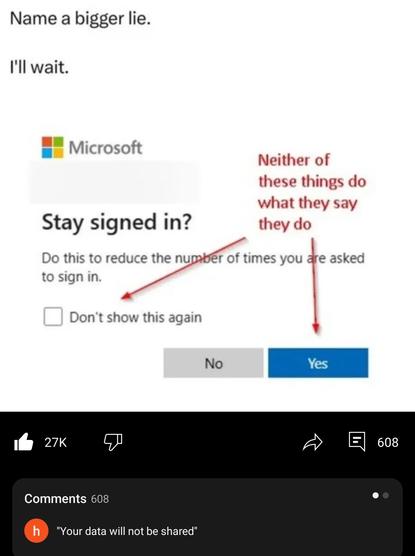
No lie here, just a user who doesn’t understand how cookies work
I routinely engage with Microsoft services for work and generally only get this after clearing browser data.
Browsers can be configured to clear cookies on close
Browsers that market themselves for “privacy” probably do it by default
Not in a browser, and Firefox doesn’t do it by default anyway as I’d find it very annoying.
It’s just Microsoft. It doesn’t effect everyone, but it effects a lot of people and Microsoft is just shit. About 20% of the people I work with deal with the same issue of it being required every single time and I bet some of them have never cleared a cookie in their life.
 Romkslrqusz
 maria [she/her]
 tostiman
 Björn
Björn