 Rose
Rose99% of Windows usability issues would be fixed if Windows had the guts to add this button
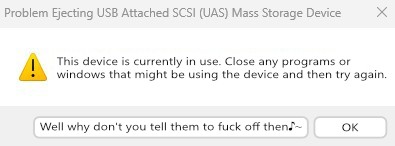
99% of Windows usability issues would be fixed if Windows had the guts to add this button
I take it you don’t filesystem much do you?
Moving a file is literally just changing a pointer in the filesystem table to basically say ‘hey, these file contents are now stored in this other folder’. Moving a file on the same drive literally never requires rewriting the actual file contents.
I’m practically certain that what’s slowing Windows down when sending something to the Recycle Bin is the background processing and data compression being performed by System Restore.
I take it you don’t filesystem much do you?
I take it you don’t Windows much?
Windows moves the file from its current folder to the hidden system folder C:$Recycle.Bin. That involves copying file metadata, updating NTFS records, and possibly moving the file across volumes (which becomes a full file copy+delete).
Large files or folders with many entries take longer because NTFS has to record each move, update security descriptors, and maintain the Recycle Bin’s index.
If the file is on another drive than the C-drive, the system literally copies it into that drive’s recycle bin folder, then deletes the original.
Nobody said Windows did this stuff efficiently.
I’m practically certain that what’s slowing Windows down when sending something to the Recycle Bin is the background processing and data compression being performed by System Restore.
Windows doesn’t do any recycle bin data compression. And System Restore is a completely separate, unrelated system. So no it doesn’t do any of that.
Windows has some other features hiding behind the scenes and bogging the system down when files get changed, like Restore Previous Versions…
…microsoft.com/…/backup-and-restore-with-file-his…
I do believe that feature is closely tied with System Restore as well…
Right I get what you mean now. “File History” =/= “Previous Versions”. But “Previous Versions” has been entirely replaced since Win8, so not entirely relevant.
It’s also completely unrelated to file deletions, because the VSS system both System Restore and Previous Versions use worked on the block-level, and as you already pointed out blocks aren’t written to when a file is deleted, it either gets copied over to the recycle bin or just marked as deleted, but neither affect the block contents (VSS works on a CoW principle, blocks are backed up only if written to, but live performance is basically unaffected by this unless you’re doing huge loads like big DB modifications or something.
 floofloof
 𝙲𝚑𝚊𝚒𝚛𝚖𝚊𝚗 𝙼𝚎𝚘𝚠