Vincent Sparks 🔜 Furlingame
fucking ocr
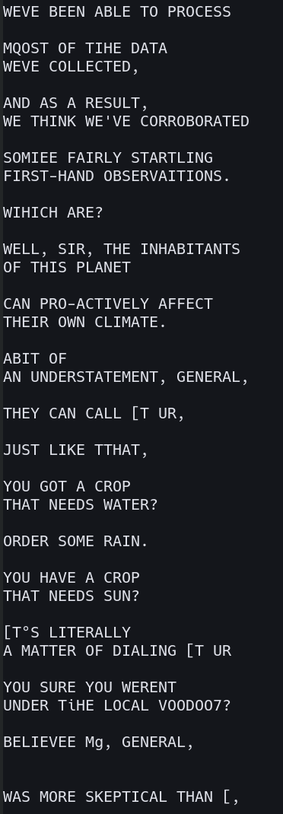
For reference, I'm running #tesseract_ocr on the subtitles of an episode of SG-1.
(For those unaware, because Unicode wasn't really a widely-deployed thing when the DVD format was standardized, but the people standardizing it still wanted DVDs to be able do display subtitles in every language, the subtitles on a DVD aren't encoded as text, they're encoded as images. This is why different DVDs have subtitles in different fonts. Blu-Rays kept this decision, because I guess they didn't want to ship a font with 100% Unicode coverage on every Blu-Ray player. I wrote a script that takes an MKV file with PGS subtitles and spits out a folder full of PNGs.)
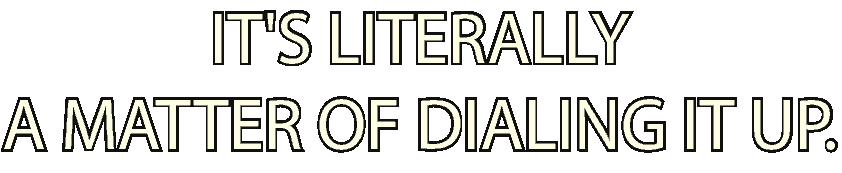
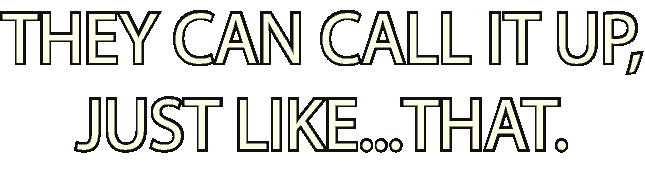
Here are the files it's looking at. They're bright white font-rendered text on a transparent background.
Why does #OCR struggle with this?


A while ago I saw a Tumblr post of someone trying to transcribe a screenshot of a data: URL, and they remarked that traditional OCR programs tend to struggle with this for some reason. I remember they wrote their own OCR algorithm from scratch that knew the font a priori, compared the characters pixel for pixel, and simply failed unless they exactly matched.
I could do that. I would rather not do that, but I could do that.
It would also be complicated by the fact that I would need to extract the font from every single different subtitle file. And by the fact that the font in this particular subtitle file seems to support aligning characters not exactly on a pixel boundary.
@jhwgh1968 @nycki @argv_minus_one I have just discovered a program called SubtitleEdit that does exactly this by splitting an image into characters and then prompting the user for each unique character it identifies. It handles accents and italics *flawlessly.* I'm seriously impressed.
This might be the strat, gamers. I might not have to write any code at all.
Although I am tempted to pop the hood on that algorithm and more tightly integrate it with the program I'm making.
Well now, there's an interesting strategy.
Subtitle images are stored losslessly unless I'm mistaken, so yeah, every instance of a given glyph should be pixel-for-pixel identical.
OCR is designed to solve a different problem (reading text from scanned paper) which has very different requirements (recognizing glyphs despite sensor noise, printing imperfections, paper texture, differences in paper alignment, etc).
@argv_minus_one @AVincentInSpace @jhwgh1968 not sure why i got tagged, but this reminds me a lot of an article i just read about reverse-engineering kindle's drm to convert a pile of svgs back into a font.
 ARGVMI~1.PIF
 nycki
nycki