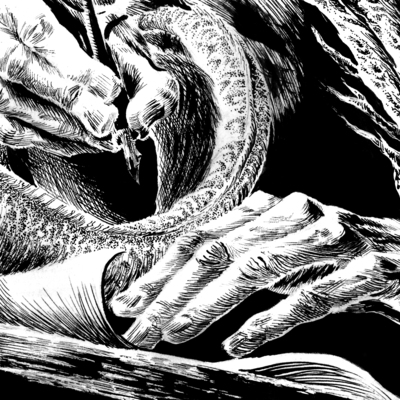
Well, I'm on linux now! Wasn't exactly a smooth transition and I'm still ironing out the kinks, but I've got the scanner working. Doing adjustments in Krita seems a bit more complicated, but I'll probably get the hang of it. Of course, any pointers from the Linux Loremasters out there are greatly appreciated. #endof10 #linux
@goemonsama My random tip is about formats you can get software in.

There's a few common formats you'll find offered. Your OS will come with a package manager, basically an App Store, which can download lots of free stuff. A good option, but it may be a slightly old version.

On some websites you'll see them offer .debs and .rpms. These are basically files for those package managers. .Deb will work for you with Debian, Ubuntu, Linux Mint, and many others. .Rpm is for Fedora and it's ilk.

@goemonsama Downloading .debs and .rpms can work fine, but it can be a bit problematic as they'll often only be intended to work with certain year updates of stuff. So an old .deb might work with Ubuntu 22.04 but may have issues with Ubuntu 25.04. This is because these files are trying to cooperate with the stuff that the package manager provides, which can change between versions. So sometimes you'll see things like a .deb for 22.04 AND a .deb for 25.05 etc, a real annoying complication.

@goemonsama So increasingly software developers making stuff for linux will like to offer downloads that are as unaffected as possible by OS updates. I generally recommend these offerings as you'll be able to usually get the most up-to-date version and it will be unlikely to have issues if you do a major update.

These offerings are usually as FlatPaks, and AppImages. There's a lot of nuances I could get into there, but personally I really recommend grabbing AppImages when you see them.

@goemonsama AppImages will offer an experience that you'll probably find very familiar as a windows user: you download the program as a file, you can put that file into a folder of your choosing, you can double click the file and the program runs. Nothing crazy, nothing surprising. You can backup that program to a USB, you can move it to a different folder later. You're generally not going to get any surprises, and so I recommend using AppImages generally. Krita offers them on their website.

@goemonsama The free-form nature of Linux means that people will invent multiple solutions to everything which is a burden to those who don't want to weigh a bunch of trade-offs. This is one of cases so yes, my recommendation to you, as a new user, is: the package manager is a great place to get software, if it does not offer what you want or the version there is too old, then I recommend downloading an AppImage from the official creators if they have one.

Ramble over, hope this helps :)

@distractedmosfet No, this was all very helpful, thank you! I was very confused by all the different ways to install software, and I will keep an eye out for AppImages.
@goemonsama Yeah being greeted by like seven different download options with no explanation is definitely one of those initial user experience things that isn't great. There's a logic to it once know what's going on, and understand that there's competing technologies at play. But there's not like, a manual where someone explains that. I've skimmed over a lot in favour of just telling you a tip that should make things easy :)