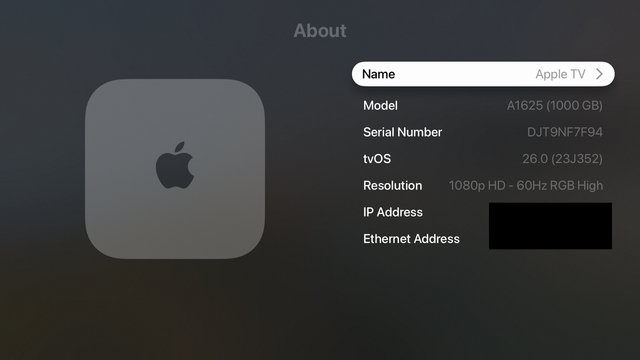
This is confusing: the Apple TV simulator running tvOS 26 shows Liquid Glass even when the device does not support it.

Only the Apple TV 4K 2nd & 3rd generation has a processor/GPU fast enough to show the new UI.

But if you create a simulator device for older hardware, you don't see the older UI elements. A rare case of the simulator being wildly different than the device itself.

I thought something was wrong with my build until I investigated device support.
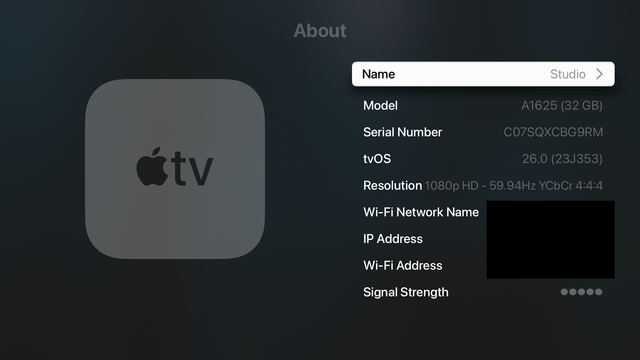
On left, the device. On right, the simulator.

This wasn't clear at all in Apple's announcement. And customers are likely to be as confused as I was.

I'd also guess that there are A LOT of Apple TV 4K 1st generation out there.

There was a huge reason to upgrade from HD to 4K: screen resolution.

The 2nd and 3rd generation brought a new remote and slightly better HDMI support. And it was a lot cheaper to just buy a new remote.

@chockenberry I was one of the confused ones, especially as the splash screen after upgrading touts the new Liquid Glass interface, but I wasn't seeing it. Honestly had forgotten which generation Apple TV device I had, and it took a little digging to figure out that it was a 1st gen and that it didn't support the new UI. Not exactly a deal breaker, it still works just fine, but definitely confusing.
@chockenberry They did mention it in June, but, like you, I didn’t see it in the simulator and therefore assumed that glass would be on all tvOS 26 devices. https://www.macrumors.com/2025/06/09/tvos-26-liquid-glass-redesign-older-models/
tvOS 26 Liquid Glass Redesign Excludes Older Apple TV Models

Apple's tvOS 26 announced at WWDC requires second-generation Apple TV 4K devices and later, which means the company is excluding older hardware...

MacRumors