 Quinn Nelson
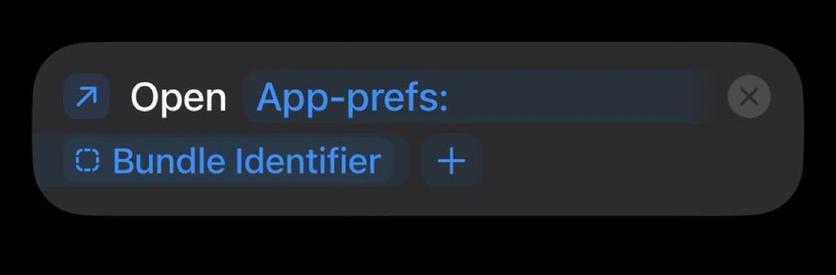
This single-step Apple Shortcut is a GAME CHANGER. No more going to Settings -> Apps -> and then finding the app.
Just swipe from Control Center, run the shortcut, and you’re automatically redirected!
This single-step Apple Shortcut is a GAME CHANGER. No more going to Settings -> Apps -> and then finding the app.
Just swipe from Control Center, run the shortcut, and you’re automatically redirected!
Step 1: install shortcut
Step 2: “Add a control” in Control Center, “Run Shortcut,” and select the newly installed shortcut
Step 3: Profit!
Download here: https://snazzy.fm/eP
Or add manually:
 Mieszko Ślusarczyk