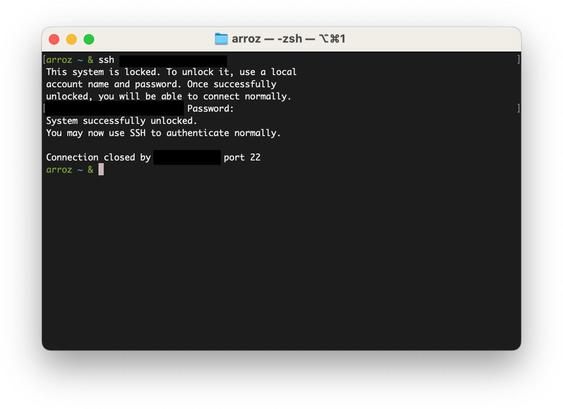
macOS Tahoe UI has a HUGE new feature for folks like me who have 24/7 Mac Minis running and access them remotely: you can now type the boot password remotely via SSH!

Power on the Mac, then SSH to it. A simple SSH server will handle your request. Typing the password there is equivalent to typing it on the keyboard. The connection then closes and the machine boots normally.

Combine this with "Start up automatically after a power failure" and you can ditch that KVM! #macadmins

@arroz It's nice, but what is the practical usage of this ? If you need to remotely unlock a FileVault-ed machine, does it mean it's a server ? But who activates FileVault on a server ? If the machine has to reboot automatically (power failure, typically) usually you want the machine to recover by itself as fast as possible, without having to wait for someone to manually enter a password…
@javerous It fits perfectly the use case of folks who have a Mac Mini acting as a server at home or a small company/lab, where you don't have a "safe" data centre to host the machines at. Even those data centres are anything but safe: servers being stolen (with all their data) is a very common event, more than most people know. Many servers SHOULD use full disk encryption, but don't because there's no practical way to do that.