 belit_deg
Recommended mini linux device for streaming to TV
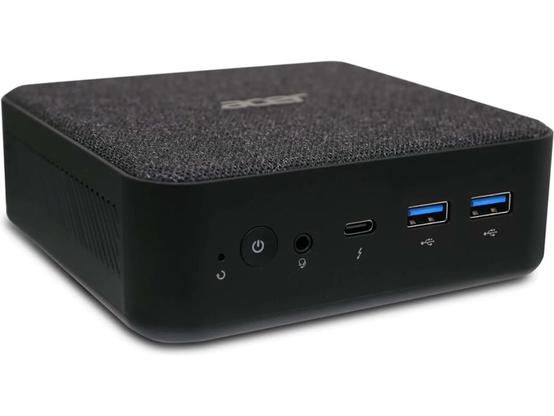
Been using Raspberry Pi 5 with 8GB of RAM, and swapping between Android 16 (KonstaKANG's AOSP fork) for Grayjay and NewPipe, and some random Linux distro for Kodi and other offline stuff.
So far working nicely.
(Thinking aloud) Wonder if it works in ARM devices and with programs that require constant connection... 👀
Thanks! Will be cooking something now =D
After getting an NUC, what would you install to make it more streaming UI friendly?
Or are you suggesting to just use the tv as a large monitor and stream via websites and browser?
Your old laptop & a generic bluetooth keyboard/mouse combo unit.
That is my setup. :)
Looks at lap
Logitech K400 still kicking it! (No clue if there is a better one, but it’s going to be hard to beat the classic)
Cool, using this setup now.
Thinking of ways to make it more friendly for my SO and guests coming to visit or babysit etc, who are not used to linux (gnome). Any tips there?
Top of mind is auto open browser on startup with fixed tabs for relevant streaming services. But could also be a simple wrapper of some kind, with UI similar to kodi, plex, jellyfin etc - but for accessing content on web.
The problem with a wrapper as you put it, specifically one running on Linux, is DRM. The only way I know of to achieve the desired Widevine encryption level is running the service in a tab in Chrome. Not any other browser, not even Chromium.
Of course you could just bypass all that nonsense by pirating your media, and have a nice easy interface consolidating titles from all streamers - even retaining a network badge so they can see where a given popular show is airing - like what I’ve set up in Kodi for myself as well as boomer relatives.
Other than that I’d recommend Flirc for input via remote (or LIRC if you have a supported remote already and don’t mind some extra configuration)
Of course you could just bypass all that nonsense by pirating your media
And this is precisely why piracy is on the rise. People will pay for convince/features, as we see with steam and music streaming.
The video industry has yet to figure this out.
What do I recommend? Even a used desktop or laptop would be perfect to run Linux and have a TV PC. Cheaper and also just as effective. All hail Windows 11 for making the future brighter on that front too; with Microsoft pushing forced obsolescence!
I had a bunch of parts kicking around. Literally pieced together a PC with an old FX 6300 CPU and an RX 570 for my mom to watch her live news and TubiTV. Works great.
All hail Windows 11 for making the future brighter on that front too; with Microsoft pushing forced obsolescence!
Yeah, tons of businesses are and will be offloading intel 7th gen and older computers.
 Auster
 chirospasm
 LilDumpy
 BombOmOm
 Norah (pup/it/she)
 Goldmaster
 PseudoSpock