 Questy
I have an Nvidia GPU, can I game on Linux?
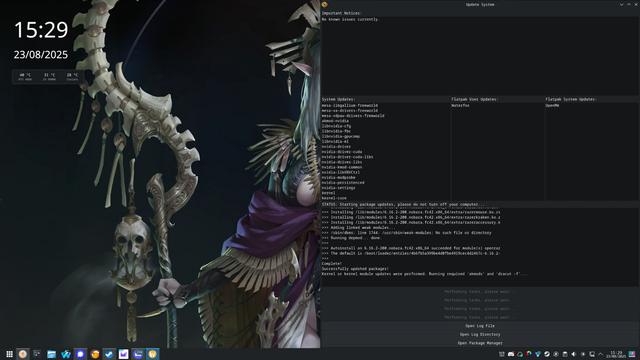
Nvidia is FINE on Linux. There’s just a couple extra steps.
All of these Nvidia GPUs being bought for all this AI bullshit? Running Linux. Every stupid AI company runs Nvidia right now, and it’s on Linux, so don’t worry.
Pick a mainstream distro, lookup the steps for installing the drivers and blacklisting the Nouveau drivers which sometimes take first dibs, and you’re golden. Few commands at best.
AMD is just simpler because you don’t have to manage the drivers, but it’s really not a big deal. It’s very easily handled.
I had to fiddle with it for a while when I moved my main machine over to Linux a few months ago, but that’s mostly on me because I chose Arch & Hyprland.
If I had gone with a mainstream distro with a “nvidia” variant, it would have likely just worked out of the gate.
AMD is just simpler because you don’t have to manage the drivers, but it’s really not a big deal. It’s very easily handled.
Honestly this isn’t as true as I was led to believe it was before I switched to AMD. Just like Nvidia has issues between the proprietary driver and nouveau; AMD has its own mix of issues with Vulkan between RADV (mesa), AMDVLK, and AMD’s proprietary driver on a per-game basis at times.
AMD has its own mix of issues with Vulkan between RADV (mesa), AMDVLK, and AMD’s proprietary driver on a per-game basis at times.
Good news, they’re going away. AMD is focusing entirely on Mesa now.
Yup
Nvidia has come a long way the past 10-15 years for Linux, just don’t tell AMD fanboys that.
In the last 18 monts, they’re enabled explicit sync, which was pretty much the turning point in making NVIDIA drivers/GPUs usable. On top of that, they’ve open sourced the kernel modules.
It’s very very different to what it was even 2 years ago.
I have been using linux with a 1060 for 4 years almost 5, and it isn’t that bad now, tho you need to make a lot of compromise!
At the beginning I experiencing a lot of graphical glitches! Like screen flipping when using an app that used a lot of gpu power or app going black after doing soo!
To this day on that pc I still experience black bars on the sides of apps and as even stated by doitsujin (dxvk creator):
Low D3D12 performance on Nvidia Pascal (and older) GPUs is expected and likely won’t improve much. The hardware has a bunch of limitations that make it very hard to extract good performance. Turing fares better, but only AMD actually runs reasonably well right now.
Source: github.com/HansKristian-Work/vkd3d-proton/…/465#i…
And all of this on xorg to be clear! On the other hand I have an amd laptop with an igpu where I can safely say my experience was almost flawless!
Is anyone running Wayland with NVIDIA drivers?
Yep! It’s been largely trouble free for a year or so now.
but I’m getting bad flicker in Wayland.
I had some issues the specific combination of NVIDIA card, Wayland running Plasma and VRR. But I disabled VRR, and it went away.
 just_another_person
 funkajunk 🇨🇦
 D_Air1
 pathief
 The_Decryptor
 Iheartcheese
 onlooker
 vishalkrkamat
 Ada
Ada MazonnaCara89
 Captain Aggravated