 Trey A
Homebrew Follow-up: Just Switched!
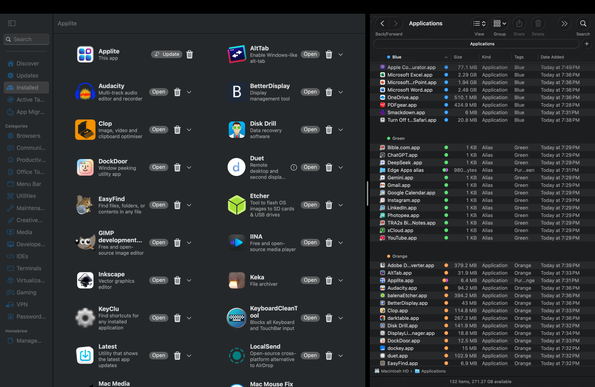
TL;DR: Hey guys, question here for everyone familiar with Homebrew on macOS, particularly through GUI apps such as Applite. I had a bunch of problems when installing apps through Applite in a macOS VM, and was wondering is this was likely more of a fault of the VM, Applite, or a legitimate Homebrew issue. I made a checklist of all the apps I wanted to install and/or test out, along with their successes and failures. https://docs.google.com/spreadsheets/d/1k0FKaoWZD7JC0P641MalLtzefpMaZZVWfWZpLHMr7qw/edit?usp=drivesdk [https://docs.google.com/spreadsheets/d/1k0FKaoWZD7JC0P641MalLtzefpMaZZVWfWZpLHMr7qw/edit?usp=drivesdk] Long explanation: See, I’m a tech – both in the sense that I’m a power user who can familiarize myself with just about everything, and that I do tech support and break down a lot of things for other people. As a result of this, once I first used Linux a few years ago and started learning about package managers for other systems, Homebrew caught my eye. I saw people recommending it left and right, and as soon as I got comfortable with my Mac and found my application suite, I knew I was going to test it. …thing is, a majority of applications that I tested on through a virtual machine failed in one way or another. Almost to none of them seemed to allow in-app updates or work with apps like Latest (which use Sparkle for update detection). Some part of this could be due to the virtual machine nature of this test (I created a macOS Sequoia VM ON macOS Sequoia using UTM and Apple Virtualization), and some part of it could be Applite specifically (though I set the app up to use my Homebrew directory set up via the actual Homebrew website, not using “Applite’s custom directory”), but either way, a lot of programs just flat-out didn’t work. Any thoughts as to why this could be? Also, before you say “just use the CLI,” there’s a reason I used Applite, and it’s the same reason I mentioned tech support: Most people still do not feel comfortable using a command line interface. Convenient as it may be for fellow “power users” with brewfiles and the instantaneous setups, most users still default to their app stores. Helped FIVE people with their Macs on installing different browsers, and they ALL went to “why isn’t it in the App Store?” If Applite or another free program works for this, that could solve the “missing App Store” problem for average users. With it being Homebrew-powered too, that could even open up the door to help people become more technologically savvy. Question is though, was I just doing something wrong, or is Applite not a viable solution for homebrew installations? I’m going to test things out one more time in another VM today, and if I still run into the same issues, I’ll post a follow-up comment. Thank you all for your help!
 FarraigePlaisteaċ (sé/é)