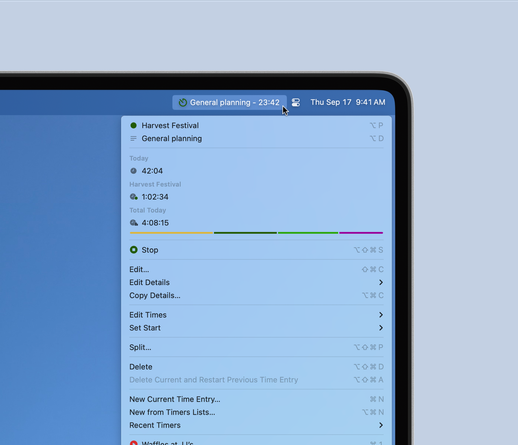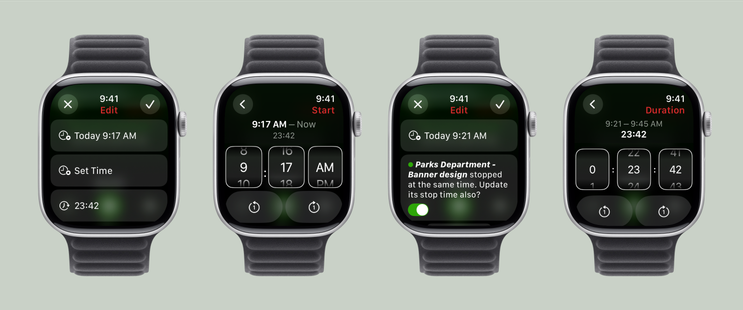
Hey everyone. Sorry I haven’t been around or had a @timery update in a while. I’m still here and still working on it!

Coming soon:
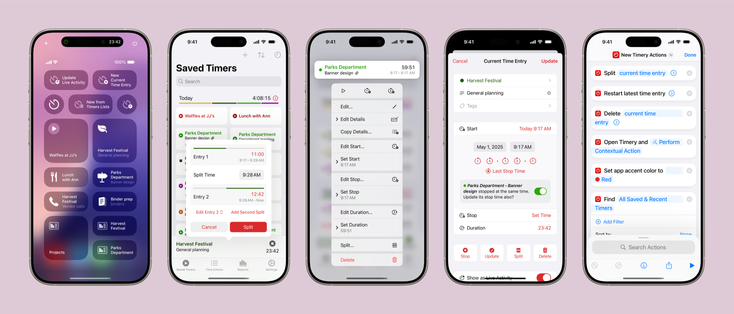
• Control Center widgets
• Time entry splitting
• Quicker time entry updating with context menus
• Update adjacent time entry start & stop times
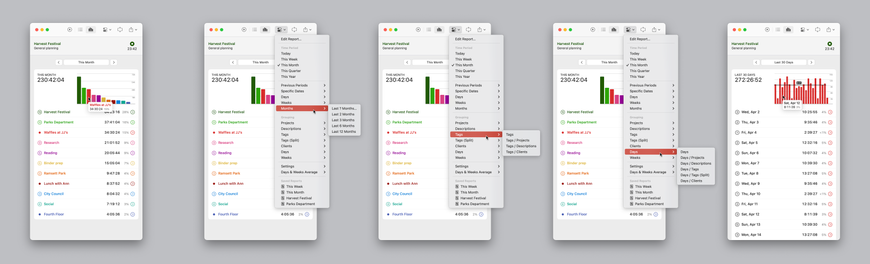
• More time period & grouping options in summary reports
• Report percentages
• Time tracked today in the Mac menu bar app
• More keyboard shortcuts
• New & updated Shortcuts actions
• Time pickers on Apple Watch
• And more
@joehribar @timery
This looks exciting! Would
Love to see a “Remind me after this timer runs for xx minutes” to tackle overrunning timers in one of the future updates!
@potatoh @timery Thanks for the suggestion! How would you use this? Curious what your use-case is.

@joehribar @timery Many a times I would start a timer for a certain task (which I know should end in around 1 hour) but then get in the zone and forget to stop the timer and start the timer for the next task.

If I was able to set a reminder with expected time of completion on Timery before starting a timer - this would solve it.

I think this was discussed on your Automators episode when you appeared there (around 51:30)

A simple stop this timer after x minutes would also be a great option!

@potatoh @timery I’m not sure how reliable something like this would be because I think it would need to launch the app in the background at a set time (which in the past I’ve found unreliable), but I’ll add it to the list of things to consider for a future update!
Scheduling a notification locally from your app | Apple Developer Documentation

Create and schedule notifications from your app when you want to get the user’s attention.

Apple Developer Documentation
@potatoh @timery Ahh! I was thinking of the app automatically stopping a time entry in the background. This is probably easier!