Rappel que si vous êtes une personne, un groupe de potes ou un petit collectif qui veut au choix (un ou plusieurs) :
- S'émanciper du capitalisme numérique via des solutions collectives
- Avoir sa propre messagerie chiffrée
- Passer sous Linux
- Mieux comprendre le fonctionnement d'internet
- Poser des questions "bêtes" (y a pas de questions bêtes !) que vous osez pas poser à d'autres libristes

Vous pouvez me demander.

J'aurai pas forcément la réponse à tout ni le temps d'aider pour tout, mais y a moyen d'avoir au moins des pistes et débrousailler le terrain.

#XMPP #Linux #LogicielLibre #Entraide

@codimp : well ! I'm going to take you up on this offer !
I've been (mildly, as it wouldn't be for right now) considering Linux, but I'm afraid of the situation related to softwares (like Photoshop) & gaming. There are specific games I want to be able to play that are non-negotiable, and I don't know how that would work with Linux, which I've heard doesn't work for gamers much.
In particular I don't know what would happen to my Steam library : would I need to buy these games all over again ?
@ladyteruki Hey, thanks for asking!

For softwares in Linux really big licences like Photoshop can be hard to found or impossible. But You can sometimes found replacement, it depend on your needs.

For games, if you rely on Steam it will be the easyiest: Proton (the software which permit to run Windows games under Linux) is really good nowadays and it's just one click to enable it on Linux.
If you already payed your games you don't need to buy them again, they are linked to your Steam account, you will just need to install Steam on your Linux and connect to your account to reinstall your games.

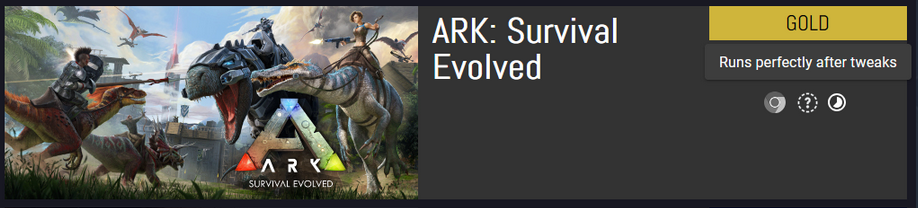
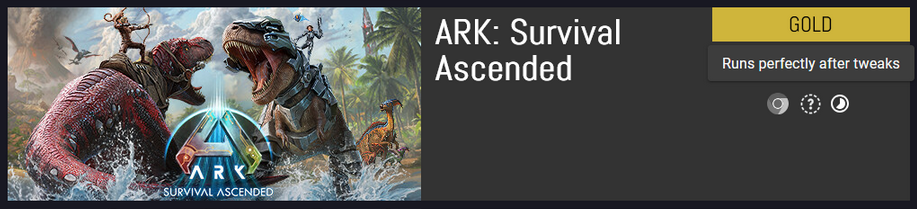
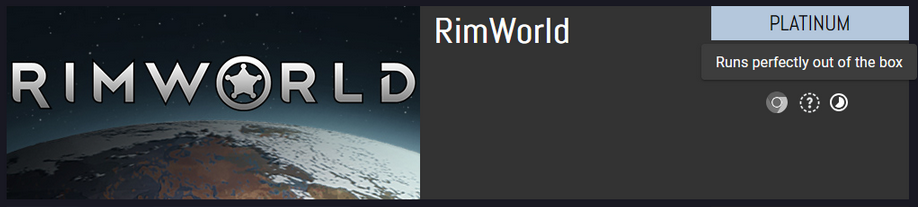
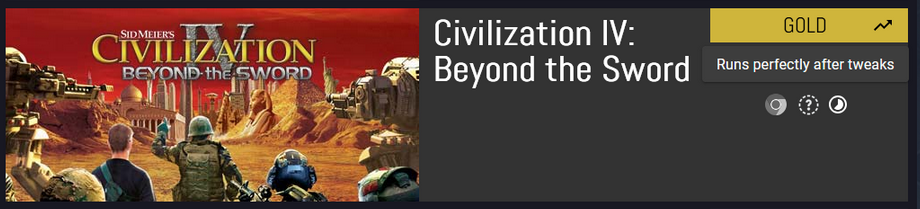
And you can check if your current games run well on Linux using https://www.protondb.com/ ! You can even connect your steam account on this website and it will list all your games and tell you if it's easy to make them run on Linux or not!

The worst issues you can encounter are for games relying on plateform specific anticheat, they will simply won't work on Linux (eg. League of Legend).

Hope it helps.
ProtonDB | Gaming know-how from the Linux and Steam Deck community

Game information for Proton, Linux, Steam Deck, and SteamOS

@codimp : thank you so much for taking the time to respond ! And so soon after I asked all kinds of questions !
See, links like that are exactly what I wish I knew about, but people who are newbies like me, by definition, don't know about these tools. Thank you so much. My main games are gold or platinum, so I'd be good, I think ; depending on the tweaks in question.

(the version of Photoshop I'm running is um, less than legal... I mostly worry about being able to use my psd files and such)

@ladyteruki yep for psd files I think other softwares can read them (and maybe also Photoshop can run with Wine?), but I'm really not a "design and graphism" person so I don't know how is the compatibility on this format, I retoot your post so maybe someone else will know more things on this subject
@codimp : oh yeah, exactly, running a new tool (as long as I can find something free, considering the state of my finances) is not an issue, I'm fine learning, it's just being able to keep working on some stuff. That said, I use Photoshop as a random netizen, not professionally at all, so I don't even need something targeting people who do this for money.
Do you know of a website or tool that could help me understand the differences between distributions, and that could run Proton ?
@ladyteruki I don't really use websites to compare Linux distributions, I always prefer to say: use the distribution your Linux friends (or Linux collegue, SO or other) use, so they can help and support you during your Linux World discovery, wich is more important to start than finding "your best distribution" (which can come later). The harder is sometime to find some Linux friends I know.

But for general advices, I say:
- Avoid Ubuntu (it was a good one years ago but not today I think, they make really bad and non userfriendly choices)
- If you need stability and not a big gamer : Debian based distributions are cool
- If you want to play lot of games and want really up to date softwares : Archlinux based distributions are cool (eg. Manjaro)
@codimp : yeah, other than internet friends on Mastodon, noone I know uses Linux XD So I'm the sacrificial lamb who has to go first, here.
It sounds like Archlinux distros would be for me. I don't play A LOT of games, but I play resource-greedy games (ARK is notorious for requiring NASA-grade gear).
What would you say I need to worry about when choosing a distro ? I have no idea what my criteria could be. If I happen to choose something that eventually does not fit, how hard is changing later ?
@ladyteruki Yep, I know this :D

First thing to know (regardless of the system):
- Make regular backups of all your data
- Put your data on a separate disk (or partition if you only have one disk), so reinstalling the system is easier

If you have no idea of your criteria, a good start is trying different distributions and desktop environments (the desktop "design") inside a Virtual Machine, you can install Virtualbox on your current Windows for example and try some Linux installations just to give it a try.

Then when you're ready, you can install your choice on your computer, as long as you make regular backups and put data on separate disk, reinstall or switching to a new distribution is really easy as it's just a normal install but you tell to the Linux installer "I already have my personnal data on this disk, please don't erase it".
@codimp : to tell you everything (well, not EVERYTHING 😏 ), I hope to be buying a new computer at some point, so basically I want to start the new computer on Linux and THEN transfer what I need from the Windows PC. I do have a lot of external harddrives (on top of the internals) so there's lots of files I'm basically not moving, just plugging to a different machine to use there.
Do you know if there's guides to help me do that, when the time comes ? As in : teach me how to install a distro.
@codimp : I didn't even install my own Windows, you see... it came already installed. So I'm really starting from scratch here.
@ladyteruki So cool!
Moving disk from a computer to an other is easy but Linux don't use the same filesystem as Windows, so: It will work (Linux can read/write Windows formated disks) but it will not be optimal, so if you stay in Linux the best way is to:
- free a disk (by moving data elsewhere)
- put the freshly free disk to the new computer
- format the disk using a Linux filesystem (eg. ext4)
- move old data to the new disk
- start again for all disks

Not very easy if you're a Linux beginner and not a very techy person. Maybe for this kind of more complex transition you can find help during local Linux events or in your local Linux group of users in your city if one exists!
@codimp : no I really can't, sadly ; I'm disabled and part of my issues stem from agoraphobia. So, long story short, going to events or meeting people is not on the menu for me at all.
That's weird how I thought it'd be the easiest course of action :/ So, as an aside, for people who have both Windows and Linux on different partitions, how do their files work ?
@ladyteruki Sorry, forgot to read your profile.

I hope some online help can exists for this, but I don't really know.

People with both Linux and Windows on the same computer, each one use a different partition type, the classic rule is:
- Linux can read everything existing in this world
- Windows can only read Windows partitions

So people with dual boot (having 2 systems on the same computer) just put common files on the Windows partition and access them via Windows and Linux if needed.
@codimp : no need to apologize, it's fine :)
Oh I see. And they don't encounter the issues you were mentioning in the long run ?
@ladyteruki I think they don't care as it's not their main reason to use both, it can be seen as perfectionism I suppose :D