 tron
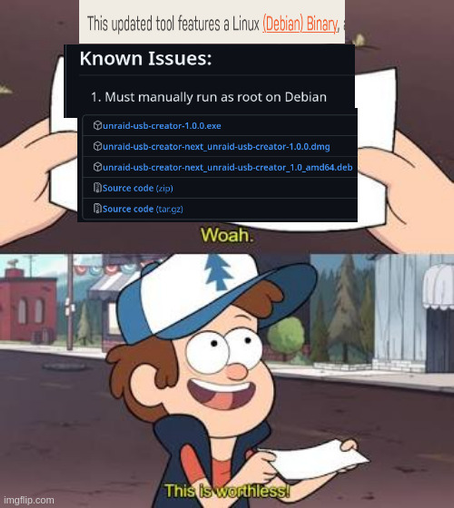
tron"Linux support"
the unique GUID in the device’s rom is what they tie your license to.
unraid does have instructions and software as zip files for manually preparing a flash drive to run their software from. you don’t have to use their scary binary media creator tool. see here
So it’s just the daily misinformation on linuxmemes, classic.
6 memes were posted in this community in the last 24 hours, 3 of them were not fully true.
dd literally has nickname “disk destroyer”, and it is a well-earned title. Once you have a bad default choice and no pre-installed alternative, you’ll have at minimum 3 competing tools. Just the way the world works.
“must run as root” App.deb
Yeah. That’s how you install ad-hoc packages where the author didn’t put them properly in a repo with signatures.
But, as Debian has impaired validation anyway - it’s a package format thing - it’s not AS big a deal.

We’ve used Etcher several times, mostly to make a bootable SD card for a Raspberry Pi or to put a bootable image of a Linux distribution onto a USB thumb drive. But we’re rethinking tha…
Love my Unraid tons of built in features that’s make it easy to use as a home server. Not that you cant manually do everything yourself without it but it makes stiff a whole lot simpler. I don’t think there’s anything wrong with wanting to save time and effort though.
For example they have an app store for docker containers. But what if they are missing something? Oh you can still just wire yaml and it’ll work just fine.
Genuinely curious what would people recommend for a home server that is less of a do it all yourself processes and more of a do some of it yourself processes.
Neat had not heard of this thanks for sharing. Sounds like its much the same safe for free but maybe not as easy to mix and match drives. I had a bunch of random ones leftover from this and that.
That being said if I ever have money for a full build I’ll probably try TrueNAS.

 chaotic_disorganizer
 ryannathans
 Eager Eagle
 lime!
lime! Possibly linux
 iusearchbtw
 asudox