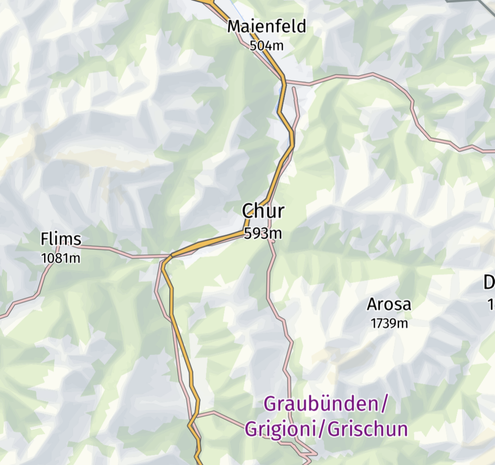
I just remembered that some time ago I vectorized the hand-drawn hillshading of swisstopo and put it on a MapLibre-based map. Demo: https://wipfli.github.io/swiss-map/vector-hillshade#map=10.14/46.8474/9.5298
Swiss Map

@wipfli Wow, I really like the Swisstopo hillshade. How did you vectorize it?
@JensWiesehahn I first bought the swisstopo basemaps split into individual layers. The data is open-data and free of royality fees but preparing the download still cost something like CHF 450.
Code is here: https://github.com/wipfli/swisstopo-vector-hillshade
GitHub - wipfli/swisstopo-vector-hillshade: Use hand-drawn hillshading layers from Swisstopo to generate vector hillshading in MapLibre GL JS.

Use hand-drawn hillshading layers from Swisstopo to generate vector hillshading in MapLibre GL JS. - wipfli/swisstopo-vector-hillshade

GitHub
@JensWiesehahn When comparing the result to the original version I saw some differences how the colors feels. Turns out Swisstopo uses multiply blending which we don't have in MapLibre.
@wipfli at least not yet, there are issues and I think even bounties related to blending modes, but it seems cartographic enhancements are not popular so far in maplibre.
@JensWiesehahn Multiply blending in MapLibre would require rendering to multiple offscreen targets followed by a composition step. That is more computationally expensive than the current direct rendering to screen...