Speaking as a Fancy Computer Science Professor at a Fancy Institution of Higher Education who teaches the course on Programming Languages:

I endorse @vkc’s position here 100%.

HTML is programming.
https://linuxmom.net/@vkc/113669972894622255

Veronica Explains (@[email protected])

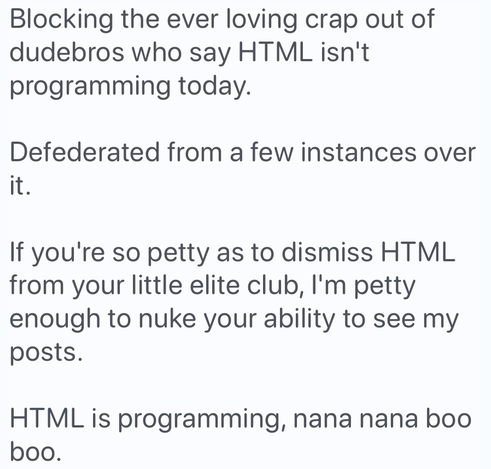
Blocking the ever loving crap out of dudebros who say HTML isn't programming today. Defederated from a few instances over it. If you're so petty as to dismiss HTML from your little elite club, I'm petty enough to nuke your ability to see my posts. HTML is programming, nana nana boo boo.

Veronica Explains' Mastodon (not to be confused with "Veronica Explains Mastodon", a video I might do)
@vkc (To be clear, the position I endorse is both “HTML is programming” •and• the heckler blocking.)

Beyond the reasons of “don't heckle, don't be an asshole” and “this boundary-drawing is elitist” — reasons which, to be clear, are •entirely sufficient• to justify the OP on their own — I am willing to defend the assertions that writing HTML is programming and that HTML is a programming language on the merits:

1/?

HTML is a way for humans to express their ideas and their intentions in a form that is unambiguously interpreted by a machine. We express our ideas, then turn them loose. The machine's interpretation may diverge from our human understanding; when it does, our ideas talk back to us and they •surprise• us.

If that’s not programming, I don’t know what is.

2/

We might draw a line about Turing completeness or intended purpose. Both completely miss the point.

It is fun to try to find Turing tarpits in HTML and/or CSS! But that’s not what makes programming programming.

The previous post is it. The problems of programming — the things that make it difficult, the things that make it rewarding — all come from that collision of human intent with unambiguous machine interpretation. That’s the game right there.

/end

An addendum, a useful word:

An ••ostensive definition•• is a definition by example. No bright line that distinguishes “is” from “isn’t;” instead, we have a set of examples we agree clearly fit the word, then ask, “How does this other thing resemble the examples?”

Some words are best defined ostensively. “Sandwich” is a great example. You can have silly fun playing with the boundary conditions — A quesadilla is a sandwich!! A hot dog is a taco!! — but to get pendantic about that fun is foolish.

With a word like sandwich that’s defined ostensively, instead of asking “Is it a sandwich or not? Binary yes or no!!,” it’s better to ask, “•How• is it a sandwich?”

Similarly: “How is ____ a programming language?”

How does it resemble the pattern? How does it depart from it? Which lessons we’ve learned about programming apply here? Which don’t? Will it need…technical learning? precision? testing? debugging? version control? docs? knowledge sharing? curiosity? resilience to frustration? etc.

Thanks, @Crell, I'm glad you asked!

Nontrivial Excel usage is quite obviously programming. Come on. But beyond that:

We’d have a much better understanding of usability failures if we understood tiny UI actions as itty bitty moments of programming. We’re asking people to momentarily span the bridge between human understanding and machine execution. Pretending that bridge doesn't exist is a perennial footgun.

“What, even clicking a button, Paul?!?” Well…

https://phpc.social/@Crell/113680660849631952

Larry Garfield (@[email protected])

@[email protected] I agree about HTML and CSS, but wouldn't that definition also include Word, or Excel, or PowerPoint? Those are all giving the computer instructions that are presumably unambiguous. A definition by example (totally a legit thing) also needs counter examples to define the exclusions. A salad is not a sandwich, unambiguously.

PHP Community on Mastodon

…try looking at it that way:

A button is a machine abstraction designed to accommodate human expression. It has a syntax whose underlying fabric is clicks/taps and mouse/finger motion. It assigns semantics to that syntax. Humans click the button with human intentions, and the machine executes the instructions.

It is a ~3-state DFA, a few teeny tiny itty bitty atoms of programming.

If a UI button is a programming language, it's a tiny, trivial one. But that lens of “In what ways is this user interface a form of programming?” does open the door to insights about what experiences humans are going to have trying to use it.

We programmers understand the difficulties and the dangers of:

- compounding complexity
- mismatch between mental model and machine implementation
- error states
- unintended consequences
- solving the problem at hand using the building blocks available

- not losing sight of the problem in the middle of fighting the machine
- the way social / human problems can come to a head when codified in commands given to a machine
- the way a better abstraction can change whether something is easy, flexible, error-prone, adaptable, correct
- etc

Viewing computer interaction as a series of increasingly programming-like steps goes a long way toward explaining why your dad can’t figure out how to change the wifi password.

Looking at things that way, @nikclayton’s reply is unironically correct:
https://mastodon.social/@nikclayton/113680873868692643

I mean, seriously, formatting things with a word processor can feel a hell of a lot like getting some developer API to do this one damned thing that it just…won’t…do.

And it feels the same because •it has the same set of underlying problems•. Machines are surprising. Abstractions are surprising. Human-machine gap-bridging is hard.

@inthehands @nikclayton This all reminds me of one of the first actual "debugging" tools I ever used (this was before I had done enough "what-people-who-think-HTML-isn't-programming" programming to use or need a traditional debugger for it).

"Reveal Codes."

This was the magic WordPerfect command from the 80s/90s that showed you why, for example, the fricking italics weren't working or that one section on that one page was just a little bit off. "Reveal Codes" popped up a little text area (not even a window, this was DOS, after all) showing a section of your text and all the associated "codes", which were tags indicating the structure or appearance of whatever they contained.

A *lot* like HTML.

And using Reveal Codes to figure out where your document was going wrong, and why, and how to fix it, was a lot like wrangling HTML to get your web page to have the right structure and appearance...and, as noted, also like trying to figure out how to get a cranky API to get the kind of output that you need it to deliver.

@inthehands @nikclayton I'd actually go so far as to say that Reveal Codes back in the 80s made HTML almost instantly comprehensible, even with emerging complexities like (then-larval) style sheets, in the 90s. And *that* in turn made it possible for me to make the jump to web development as a career when a previous one started to head south -- more so in many ways than having a reasonably decent background in "what the annoying pedants call programming" programming as well.
@dpnash @nikclayton
All that. I really appreciate all these historical on-ramps — Applesoft BASIC was mine! — that allow a random curious human’s machine interactions to progressively become more and more programming-shaped.