 the_weez
Work setup
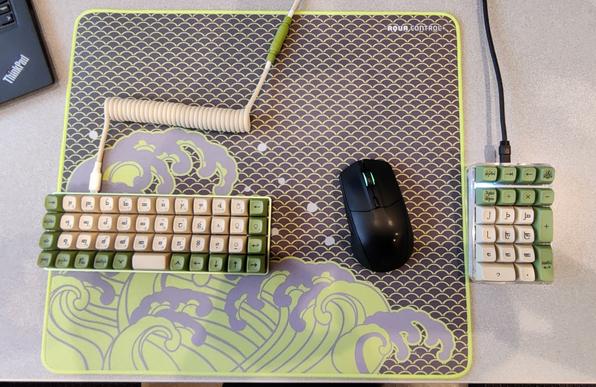
Work setup
It’s very pretty, but I shudder just thinking about the finger acrobatics for shortcuts that my work software requires to be efficient.
Love the color scheme though!
Anything is possible with enough custom layers ;)
The F-keys are pretty easy but if you had to do function keys and numbers that might be a little more difficult.
I’ve been on this setup for about 2 years now and I haven’t run into trouble yet!
Thats what I mean by fingeracrobatics.
In some software I have to do CTRL+LeftALT+F10 followed by entering a number. Shifting between the layers for that or moving one of the typing hands to the numpad would really slow me down.
I have a similar keyboard to OP. I have a layer with a grid of f-keys on the left and a standard numberpad layout on the right.
Combos like that are fast, simple, and no contorting or excessive stretching required since every f-key is within one key distance of the home row (I regularly use L-Alt+L-Shift+f-key combos)
I’ve tried different wrist wrests over the years but I’ve found that having them floating is the most comfortable for me.
I’m thinking about building a split board but I’m still not sure what I’m going to do with that, more research is needed. For some reason I think I want to build a fully wireless corne with Choc switches but I see that the newest corne PCB is not really setup for wireless.
I’ve tried different wrist wrests over the years but I’ve found that having them floating is the most comfortable for me.
With a more “traditional” layout like this, most wrist rests do more harm than good. Raised (in relation to the keys) palm rests like the Kinesis Advantage boards tend to be better. I’ve also got kinda fucky wrists (injury and starting PT level of fucky) so, small keyboards without finger splay can be quite painful. I ended up needing to change to a Svalboard in order to minimize pain.
I’m thinking about building a split board but I’m still not sure what I’m going to do with that, more research is needed. For some reason I think I want to build a fully wireless corne with Choc switches but I see that the newest corne PCB is not really setup for wireless.
Corne is a fun one. If the PCB has a Pro Micro pin layout, you can swap that with something like a NiceNano (use Mill Max sockets) for “free” wireless.
web.archive.org/web/…/annatar.html
You caught me
My last 2 keyboards were DAS brand black ones.
Well, that phrasing makes it sound like my 2 previous ones. I’m still using the 2nd one.
Could you share the numpad you’re using?
I love the 75-key keebs but I do actually benefit from a numpad occasionally and have been hoping for a product similar to what you have here.

 Hazel
Hazel Deckweiss
 TrickDacy