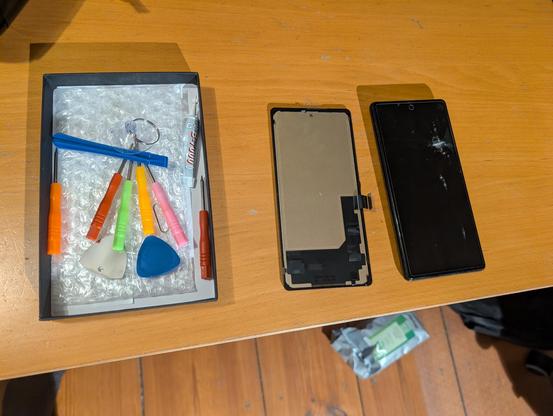
For the first time ever, I cracked the screen of a/my phone last week. Being super annoyed by the situation, I immediately bought a new one and have been trying to set it up since.

Of course, I chose @GrapheneOS again which has been working really well so far. Unfortunately, app backups were not a active because of some SNAFU, but personal data like photos was all safely in my @nextcloud.

🧵 1/n
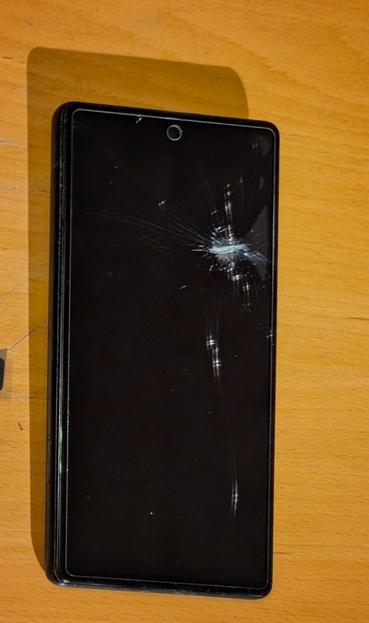
In particular, @signalapp was not backed up (more on this later), and I was missing a few other things, so I did decide to try and replace the screen.

Since I already had a replacement phone (Pixel 9 Pro), and the old one (Pixel 6) not only had a broken screen, but also a crack in the glass on the back, the priority was to just get it back to where I can boot the phone, use the screen and activate ADB.

I went for a cheap replacement kit from Amazon (60€ incl tools).

🧵2/n

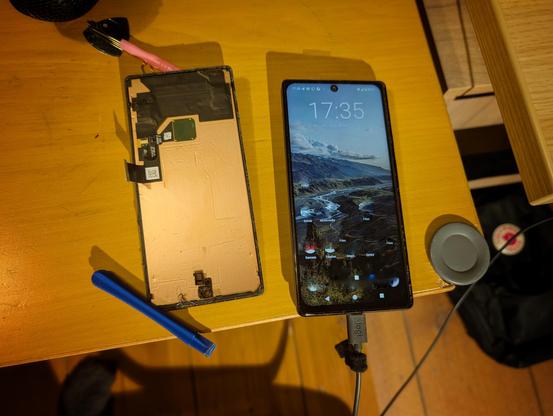
Replacing the broken screen worked like a charm! I chose not to glue it in place for now, but having loosely on the phone already allowed me to perform all necessary operations. If I had known it was this easy, I would probably not have got a new phone, but oh well.

As you can see in the picture, the replacement screen works. It should be noted that it does not have a finger print sensor, but I don't use those anyway.

🧵3/n

Most annoying thing really is @signalapp. The phone2phone transfer failed, no matter how often I tried. New phone recognised the old one, but not the other way around.
Using USB-C for this not supported 🤷

Thus, I had to go through in-app-backup and 2-way ADB. This then failed in the PIN verification. Endless googling didn't help. What finally did the trick: using 5G instead of Wifi. WTF 🤷

Lesson learned: fixing hardware > fixing software.

🧵4/4