rootww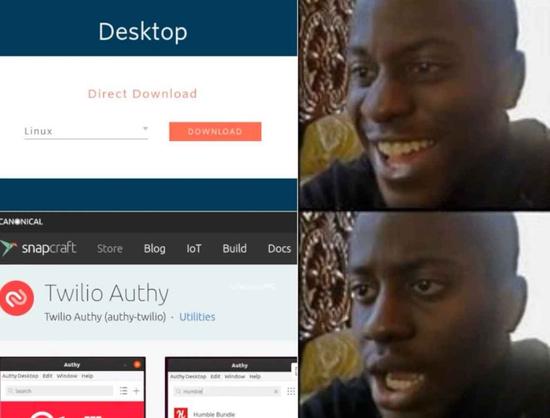

 NateNate60
Unpopular opinion: snap is not so bad and genuinely useful for many things
I would rather have a snap than building from source or use some tar.gz archive with a sketchy install script
Unpopular opinion: snap is not so bad and genuinely useful for many things
I would rather have a snap than building from source or use some tar.gz archive with a sketchy install script
snapd installed on my system.
some tar.gz archive with a sketchy install script
I just can’t… like I’m old, but still can’t wrap my head around how we went full circle from “./configure && make & make install scripts are almost the de facto way to install software in linux” to “a sketchy install script”. We’re living interesting times at Linux
Last time I ran a corporate-made installer, it caused massive graphical glitches and lock-ups after waking from sleep. It basically gave my system computer-AIDS.
That’s why I never run scripts which are too long for me to easily understand outside a sandbox. Official distro repositories and Flatpaks are the only sources I have some level of trust in.
I remember those times too. The difference today is that there are so many more libraries and projects use those libraries a lot more often.
So using configure and make means that the user also has the responsibility of ensuring all those libraries are up to date. Which again if we're talking about not using binary install, each also need a regular configure/make process too. It's not that unusual for large packages to have dependencies on 100+ libraries. At which point building and maintaining the build for all of them yourself becomes untenable really. However I think gentoo exists to automate a lot of this while still building from source.
I understand why binaries with references to other binary packages for prerequisites are used. I also understand where the limits of this are and why the AppImage/Flatpak/snaps exist. I just don't particularly like the latter as a concept. But accept there's times you might need them.
configure script seems sketchy to me, like what happened with xz
snap refresh --hold to hold all automatic updates or add a snap name to hold updates for that snap.
That is the behaviour that’s built for when an upgrade through a “classic” package manager (e.g. apt, dnf) updates Firefox while it’s still running. The only way I can think of that you’d get that with a snap is if you’re intentionally bypassing the confinement (e.g. by running /snap/firefox/current/usr/lib/firefox/firefox directly, which can also massively mess with other things since Firefox won’t be running in the core22 environment it expects).
If you’re using the snap as expected (e.g. opening the .desktop file in /var/lib/snapd/desktop/applications/, running /snap/bin/firefox or running snap run firefox), snapd won’t replace /snap/firefox/current until you no longer have any processes from that snap running. Instead you’ll get a desktop notification to close and restart Firefox to update it, and two weeks to either do so or to run snap refresh --hold firefox to prevent the update (or something like snap refresh --hold=6w firefox to hold the refresh for 6 weeks). Depending on what graphical updater you have, you may also have the ability to hold the update through that updater.
Are you sure you’re running the Firefox snap? Because that sounds pretty much precisely like the expected behaviour if someone had gone to lengths to avoid using the snap.
I’m 99.999% sure it was, as it was within kubuntu using the default FF install (Canonical only provides the snapped version), and opened from either the taskbar icon or through its menu. Discover’s auto-update feature was also manually turned off. (was a system at work, so I wanted the config to be relatively basic but controllable)
I did at some point completely remove snap and switched to flatpak. Eventually though, I went with the Mozilla Team’s PPA, as the sandboxing was adding too many complications with the addons along with printing documents.
I would rather have a snap than building from source or use some tar.gz archive with a sketchy install script
I agree, but that sounds like false dichotomy to me because snap competes with flatpak.

True, but your post did kinda read like this:
But isn’t appimage the closest one to the app-system from Android? Since things could be really different on many clients an “app-container” is the best solution.
Why not containerise everything? You need libreoffice? No problem, here is a docker or podman container.
BTW. I like flatpak, too. It’s the most stable, but I never understand it’s mechanics. There is always another pack installed, freecode, gtk, qt whatever. Even if the system has already the correct gtk version, nope, the dev decided to use the gtk image from Ubuntu.
I’m not too familiar with whatever Android is doing with apks these days tbh. I just don’t like how AppImages fails at the one thing it should do (universality) and doesn’t have the repo model built in. You can have third party solutions to that but it’s just not the same experience.
Why not containerise everything? You need libreoffice? No problem, here is a docker or podman container.
I’ve heard people suggest such a solution. Everything is a container and stuff is just exported out so that it shows up to the system like a normal program. Can’t really say I’m the right person to judge the pros and cons.
There is always another pack installed, freecode, gtk, qt whatever. Even if the system has already the correct gtk version, nope, the dev decided to use the gtk image from Ubuntu.
It can be both good and bad and sometimes it’s necessary. The whole system relies on being able to use different versions of libraries. But having them as separate packs can help in that programs can share those packs so as a dev you can just target one common base and have your stuff work everywhere. And sharing those runtimes has the benefit of someone else keeping it up to date while you can just test if the updated version works for you and switch to that if it does and so on. And with deduplication, runtimes and stuff share the parts that are common to both afaik.
It’s a bit more complicated than just shoving everything in but also it’s less work than same thing having to be packaged separately for every distro.
Why not containerise everything? You need libreoffice? No problem, here is a docker or podman container.
Flatpak is basically GUI-optimized containers. It uses the same technology (namespaces) as docker and podman, just with some extra tools to make GUI-related things work properly. That’s why flatpak apps don’t use the system’s gtk version – they’re running in a sandbox with a different rootfs. You can spawn a shell into the sandbox of a specific app with flatpak run --command=sh com.yourapp.YourApp and poke around it if you want to.
Oh come on, mesa is only (checks) 112 megabytes!
you know what, carry on!
Auto-updates are a hell-no for me.
There was a perfectly good user interface for updates. Then Ubuntu decides “wait… What if we made updates compulsory and effectively random and skipped the UI. The user can do system updates whenever they want, because those don’t matter for security or something, but these apps must be updated whenever snap determines they must.”
Oh, snap!
Probably not but hey I like doing it.
Just an FYI Auth and Photos use the same server program. I think you can already self host Auth just point the app at your Photos server.
rm -rf my server and lose my 2FA seeds. That’s also why I don’t selfhost bitwarden, even though Vaultwarden is pretty great, and even offers Bitwarden Premium features for free (and I love it cause it’s written in Rust lol)
Oh, what the fuck!?
TBH I wouldn’t mind it that much. The whole point of flatpak is that the developer can do whatever demented satanic rituals they want inside of the sandbox, and it won’t contaminate the rest of the system.

 RoyaltyInTraining
 r00ty
r00ty WhatsHerBucket
 EtherWhack
 babybus
 _cryptagion [he/him]
 Samsy
Samsy
 Magicalus
 Delilah (She/Her)
 bdonvr
 Possibly linux
 FuCensorship
 povario
 Andrew