 Barrett
 Jasmine Otto
A couple months ago I needed to card sort a Zotero bibliography. Here's the code so you can use your favorite wireframing tool to outline a background section or survey paper. Existing tools work inside Zotero, but don't persist the working spread.
https://observablehq.com/@jazztap/bibtex-to-svg-cards
https://observablehq.com/@jazztap/bibtex-to-svg-cards
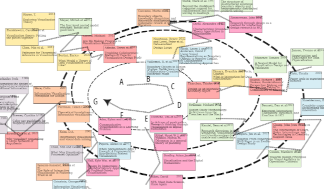

BiBTeX to SVG cards
Upload your bibfile using the file attachments menu. Selecting the paperclip icon from the right-hand toolbar, find `acmart.bib` in the list and click the replacement icon (two arrows). 2. Download an SVG of your bibliography cards using the cell's dropdown menu (pictured below). It's fine if the cards appear truncated. If an error appears instead, let me know in the comments. 3. Open in Inkscape, Miro, or whiteboarding tool of your choice. Cards have white backgrounds by default, and can be dragged around