 Shork Keith 🦈🦈
Okay I've been having this problem for quite a fricking while and I dunno how to solve it.
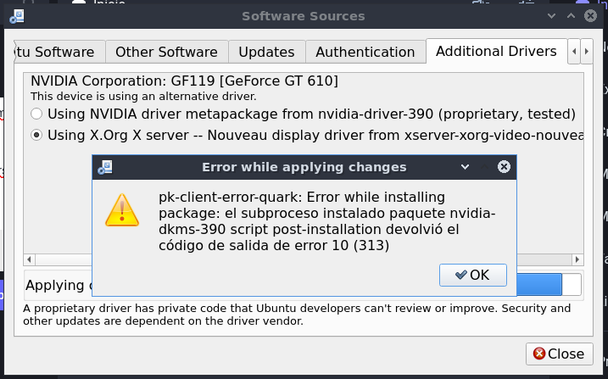
I am trying to install NVIDIA drivers on my Lubuntu 22.04 os  but whenever I try with the "Additional drivers" section it give me an error (1st pic). The translation of the message is something along the lines of:
"pk-client-error-quark: Error while installing package: the installed subprocess nvidia-dkms-390 package script post-installation returned the error code 10 (313)"
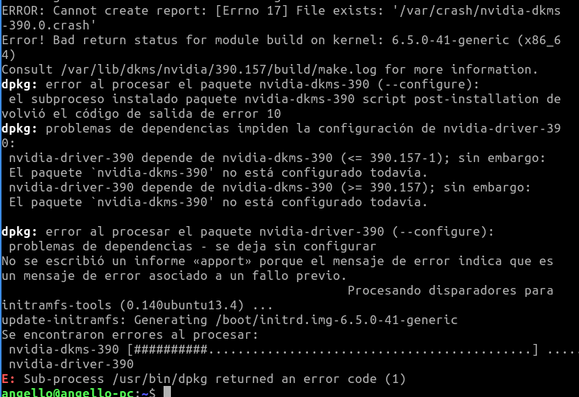
To try and fix this, I tried checking for my kernel vers and this is what I get (2nd pic)
to note, the errors are as followed:
terminal showing dpkg errors:
1st error shows the same error displayed on the 1st pic.
2nd error reads: dependency problems prevent the configuration of nvidia-driver-390:
nvidia-driver-390 depends on nvidia-dkms-390 but said package is not configured yet
My question is.. how the hell do I configure those packages??? Halppp
 Cdnpup