Boring Friday night in? Looking for some hot, esoteric programming challenges? Give my "Low-Rez Shadertoy: The Game" a go!

Write shaders in some made up assembly language, match your target, win prizes*

This is an alpha version and I'm looking for feedback. Please boost/share, thanks!
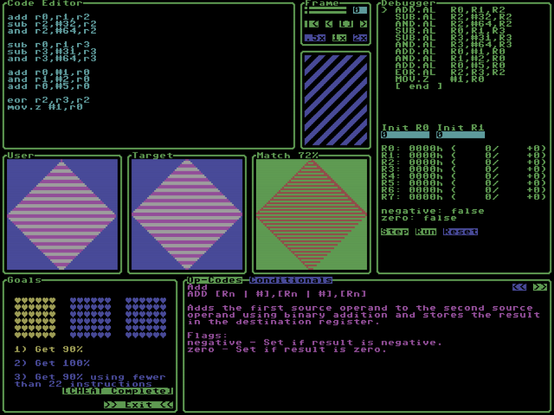
http://lrst-alpha.s3-website.eu-north-1.amazonaws.com/

LRST

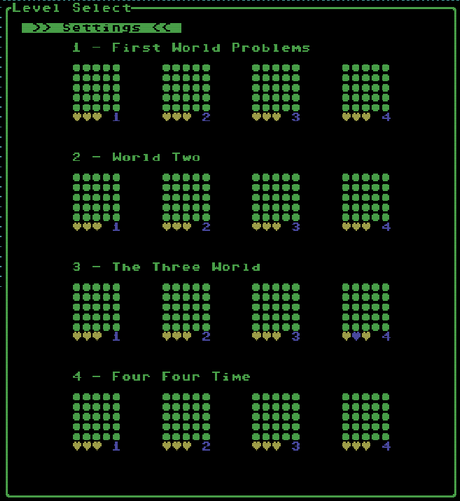
@evilpaul_atebit It'd be cool if it showed you which level you're on while you're in the level? Unless that is somewhere and I'm missing it.

I only did the first 8 levels but doing World 2 level 4 in three instructions was very satisfying.

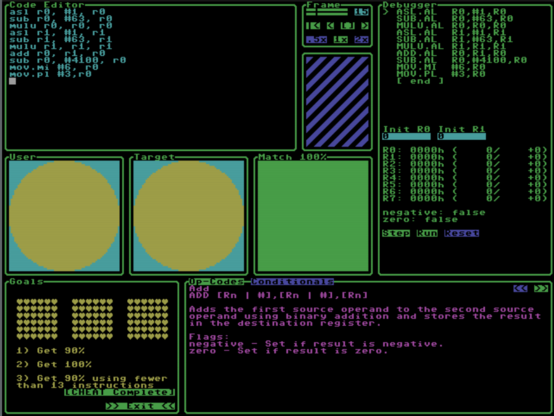
@evilpaul_atebit This gives me 100% but is still showing a handful of red pixels...?

sub #31,r0,r0
sub.mi #-1,r0,r0
mulu r0,r0,r0
sub #31,r1,r1
sub.mi #-1,r1,r1
mulu r1,r1,r1
add r0,r1,r0
sub r0,#981,r0
mov.lt #6,r0
mov.ge #3,r0

@evilpaul_atebit Oh wait, I guess to get 100% you just have to get it to the point where the error rounds down to zero? 64 squared is 4096, half a percent is 20.48 pixels. And I got it down to 16. Ha, nice.
@evilpaul_atebit I have no idea how you're supposed to get the circles pixel-correct, but otherwise... fun.
@JoshGrams @evilpaul_atebit aha, pixel-perfect!

@jcreed @evilpaul_atebit Huh! Doubling the resolution? I wouldn't have thought that would make a difference. Very cool!

Looks like anything from 4091 to 4106 works... interesting that it's asymmetrical around 4096, but I guess that makes sense, since it's a curve.

@JoshGrams @evilpaul_atebit it's that it lets you put the center of the circle *between* pixels, at (31.5, 31.5), which means it's actually symmetric when I interchange pixel coords 0 and 63, and 1 and 62, and so on.

@jcreed @evilpaul_atebit Ah, I see.

And 512 and 2048 work for the next one, which is kinda doing my head in because neither of those are squares, but... cool.

@jcreed @evilpaul_atebit So mine was off because I was still doubling the zero at the middle from the diamond. I'm actually surprised now that that worked as well as it did.