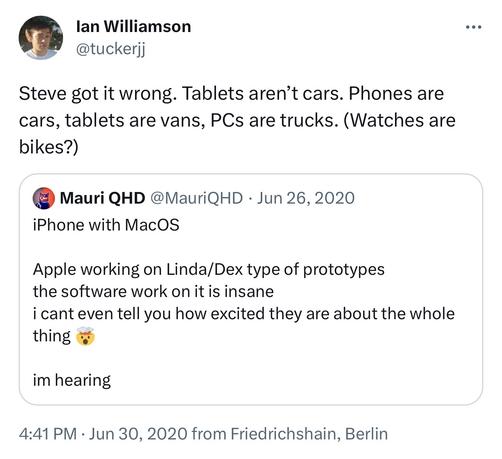
. @viticci gets it.

“Your phone is your computer already, but what if it could be your computer computer?”

https://mastodon.online/@tuckerjj/110952550985915441

#DeX #iPhone

Ian Williamson (@[email protected])

@[email protected] @[email protected] Exactly. Nearly all the elements are already in place in iOS 17 with the improvements to stage manager and external webcam support.
Mastodon
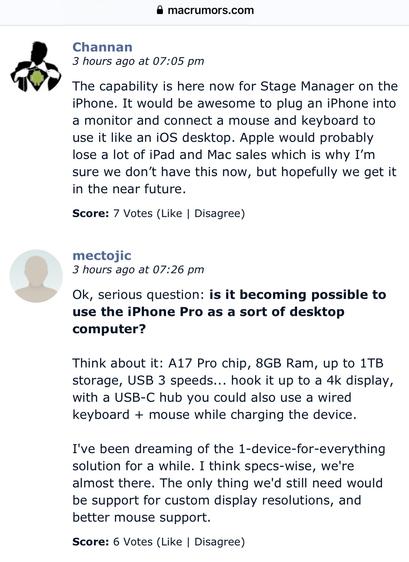
All iPhone 15 Models Support DisplayPort for Up to 4K HDR Video Output to External Display

The new iPhone 15, iPhone 15 Plus, iPhone 15 Pro, and iPhone 15 Pro Max all support DisplayPort for up to 4K HDR video mirroring and video output to...

MacRumors
Hopefully next year is the year that “clamshell mode” is announced for iPad OS at WWDC ‘24 (because removing reliance on the “main” display is the last piece of this puzzle), the iPhone 16 Pro gets Thunderbolt, and either then, or at WWDC ‘25 Stage Manager comes to iPhone.
Clamshell mode today?

@tuckerjj This isn’t a laptop. There’s no clamshell on iPad…

No. The Magic Keyboard is not part of the iPad. It doesn’t make it clamshell-able. It’s a separate accessory.

@platkus I know there isn’t. I would love it if there was.
@tuckerjj The iPad would have to be foldable in order to support clamshell mode. You can’t have clamshell mode with a solid slab of glass. 🤷‍♂️
@platkus I haven’t explained the concept well. I should have put “clamshell” in quotes. Forget the physical aspects. What I’m talking about would work with a solid slab of glass. Even without a magic keyboard attached. What I want is that when an iPad is connected to a Bluetooth keyboard, trackpad and monitor, it’s possible to work with *only* the external monitor. The screen on the iPad would be off.
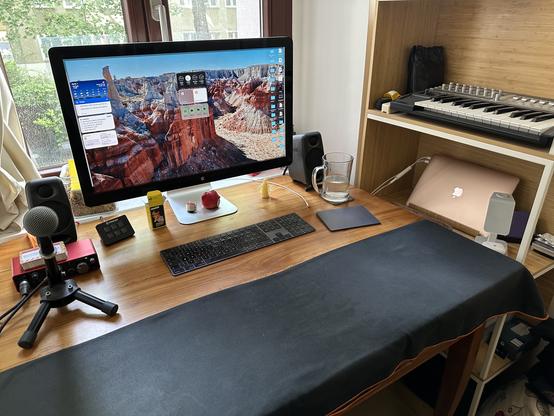
@platkus Basically, I want to replace the MacBook Air in my setup here with an iPad, and I don’t want to have to interact with the built in screen on the iPad at all, only the external display.

@tuckerjj OK, but why do you want to do that? That setup looks like it would be best suited for a desktop Mac.

Nice setup by the way.

@platkus Thanks! I still need to take my Mac into the office and to meetings so do need the portability of a laptop. My work is super basic though (mostly Teams, Outlook, Office docs and web apps) so I reckon I could do it all on an iPad, but both at home and work I’d want to “dock” it and use only the big screen like I’m currently doing with my MacBook.
@platkus I also want Apple to implement this for the iPad because from there it’s then not a big leap to argue for the same thing on the iPhone, i.e. stage manager when docked to an external display, keyboard and trackpad. That would really be an iPhone Pro!
Ian Williamson (@[email protected])

Attached: 1 video . @[email protected] gets it. “Your phone is your computer already, but what if it could be your computer computer?” https://mastodon.online/@tuckerjj/110952550985915441 #DeX #iPhone

Mastodon
@tuckerjj I see. That’s interesting and makes sense. It’s not a use case that I have, but now I see where you are coming from.