 Christina Warren
OK, so you know the so-called "source code leak" from Rabbit for the #r1 last week? It wasn't a real leak, but what it showed was different than what I was expecting. So Rabbit Hole, the way you configure your R1 -- it only works on desktops, which I thought was rather odd. And then I went to manage my connection and I figured out why. This whole thing is a fucking VNC session in the web browser served as if it is a modal login
So when you go to https://hole.rabbit.tech for your configuration, that i a proper web app. But look at what happens when you click on one of the connect buttons. A VNC session opens up. Notice the URL is /uber-vnc
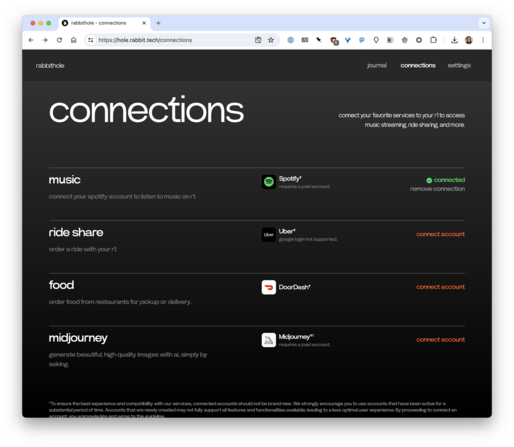
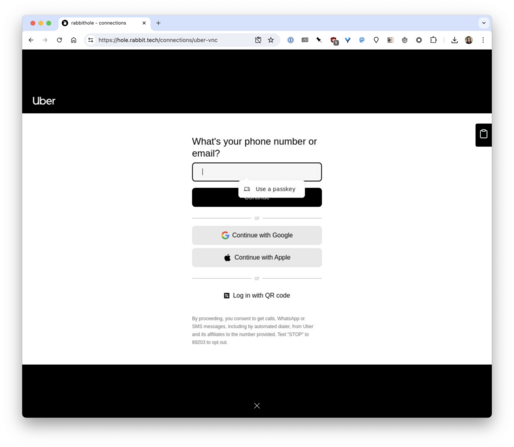
The VNC doesn’t have clipboard access and can't access any of your extensions -- this is how I first discovered this (I wasn't looking at the URL at first). So logging into your account takes some effort. Look at this button here. This is what you need to use to pass a password into this VNC.
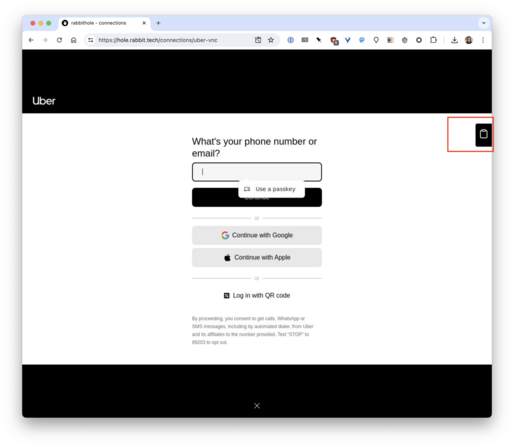
The whole process is also horribly slow, even though it is trying to trick the user into thinking it is just a normal modal Uber/DoorDash/Spotify login window. I'll add a video in a second
OK, this is a walthrough of how janky the VNC is for the #rabbit #r1 https://cloud.c-mac.me/Q6HhVXRd

Video uploaded to CleanShot Cloud
 Kazi
Kazi@film_girl using the API would not work for apps that don't have an API. Rabbit wants to work with any webapp a human can click and type into
@zer0 I understand that. But Spotify does have an API, and a good one. Uber has an API. DoorDash too. It’s possible the Uber/DD APIs wouldn’t do what they want to accomplish (Uber’s prob would). They still shouldn’t do auth flow this way, without making it clear the user is logging into the service on a browser running in a VM on a cloud machine. Uber and Spotify both support oAuth. No reason to login this way.
@film_girl True that