 Lutra Security
During a cyber attack, the attacker is very likely to try to gain access to more credential material to escalate privileges and move laterally through the network. One technique to acquire new credentials on Windows systems is dumping the LSASS process memory, which contains credential material for logged in users, among other things.
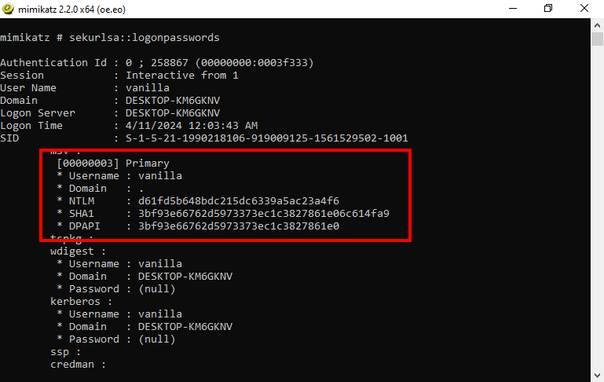
There are many ways for an attacker to extract those secrets from the memory of this process. One example is by the use of Mimikatz by Benjamin Delpy, one of the best known tools in the hacker space. It can access and analyze the LSASS process memory to get hashes, Kerberos tickets and in some cases even cleartext passwords. Of course, it is flagged as malicious by pretty much any antivirus solution.
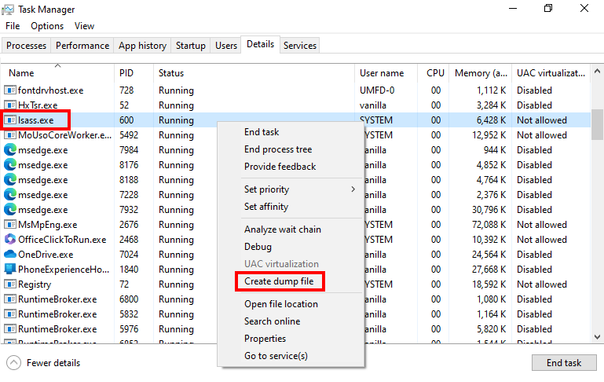
Another tool that can dump the LSASS process memory, that probably almost everyone knows (and is not immediately flagged by antivirus), is the Windows Task Manager. With it, an attacker can easily create a dump file of the LSASS process, download that dump file to another machine and analyze it locally.
So it is clear that protecting LSASS is a main priority on Windows systems. To achieve this, opened/duplicated handles to the LSASS process should be closely monitored, LSA protection/PPL should be enabled and SeDebugPrivileges should be restricted. To minimize the impact of an attacker dumping LSASS you should add privileged users to the Protected Users group and enable Restricted Admin mode.
Of course, many mitigations can be bypassed when an attacker can execute code in the kernel. Therefore, make sure to use Microsoft's vulnerable driver blocklist, restrict who can load kernel drivers and closely monitor related events such as driver loads.
 Nightfighter 🛡️
 purpole