 Steve Troughton-Smith
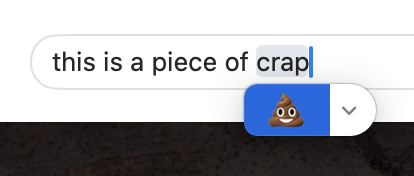
If all macOS 15 does is remove that stupid emoji-palette-blocking autocomplete popup that Sonoma added, I will be happy. Adding an extra step to something I do a hundred times a day, without giving an option to turn it off? Genius.
It's even better that invoking the keyboard shortcut twice bypasses it… — *except* when it doesn't have an emoji to autocomplete, and then the double-shortcut presents then immediately dismisses the emoji palette instead
 Tom Hartnett