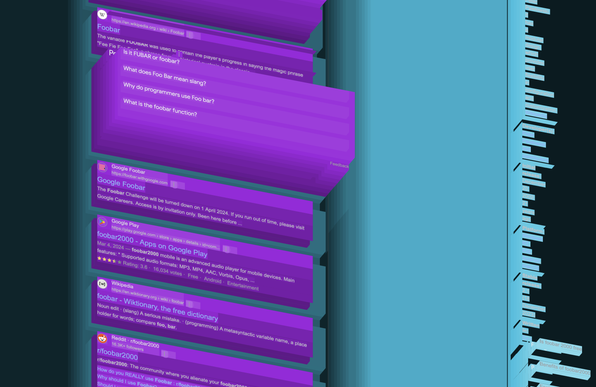
I made an HTML/DOM viewer you can paste into your console to view or debug any website in 3D. Choose from random/gradient/clear colors or whether layers have sides.

You can save it as a bookmarklet so it's 1 click away. It's just a tiny IIFE JS function.
https://gist.github.com/OrionReed/4c3778ebc2b5026d2354359ca49077ca

3D DOM viewer, copy-paste this into your console to visualise the DOM topographically.

3D DOM viewer, copy-paste this into your console to visualise the DOM topographically. - dom3d.js

Gist
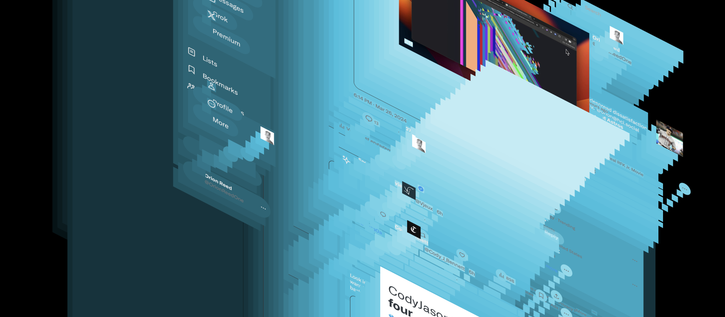
Complex websites are the funnest to look at, here's Twitter for example. Rendering the sides works fastest in Safari, oddly, but performance-wise Chrome and Firefox are a lot better for large websites.
You can use this view to programmatically pull out features, for example here are the “cards” of a Google search result, you can see how some of them are not like the others.
With sides enabled, you can see the skyline of your DOM.
Here's my website, almost flat by comparison. You can count the layers on one hand.
@orion 'the skyline of your DOM' has to be to best sentence I've read on webdev for years.
@orion Now that's a neat way to visualise DOM depth!

@orion Twitter's not truly complex, it's just stupid :D

I do vaguely remember there being some kind of devtools plugin for one of the major browsers, allowing such a 3d view... like a decade ago, and unfortunately it didn't live for too long.

I think it's a great tool if the UX can be done right... and I really wish the web stopped being as stupid as it currently is (see indeed: twitter as html source code)

@ralesk @orion I do also remember that tool, but cannot remember the name. It had it's uses and it's good to see someone has revived the idea!