 Waffelson
Now my arch is bloated more than the default ubuntu

😂 same for me
You can use window managers instead of DEs. While I prefer DEs because how much features they have you may not need these features
why not both 😅
 Lunya \ she/it
you’re only using one at a time.
Am I?!?
well, i’m not. that’s for sure. also i like the freedom of choice at every login as the spaghetti monster intended
This is the way.
Install tiling wm, because I can’t without anymore. I stall a DE, because I actually like the discoverability of graphical settings programs.
 lea
leaInstructions unclear, installed sway and 50 utilities for it.
smh get real, install Hyprland and 50 utilities for it (30 of those are sway utilities)
But at least you don’t need to use a stupidly long argument to start it (I know both don’t really have support but sway runs it in your face even more than normal) because you can’t quite be as choosy with laptops as you can be with desktops…
I haven’t had laptop-related issues on either
Have fun with TWM I guess
Don’t install neofetch, so many dependencies.
 starman
But how would he show that he uses Arch, without Neofetch?
 devfuuu
Cat /etc/os-release ?
uname -a ?
 Pantherina
Neofetch is unmaintained btw, fastfetch is a good replacement… for whoever needs that. I wrote my own tool for getting system info and I like my terminals to have free space
 56!
56!oh no! not unmaintained! The unmaintenance gremlins are going to implement so many bugs and vulnerabilities!
Is it unmaintained completely or just feature complete and not getting recent updates?
I’ve seen people say “this tool isn’t being maintained because there aren’t recent check ins” and those two things are very different.
It is written in Bash which I guess makes it pretty high level and stable. Until it breaks it shouldnt need much work.
Bash is damn slow though, so fastfetch (mainly in C) is way better for the “arch flex”
WDYM? The only listed dependency is bash
 swab148
Bash is bloat
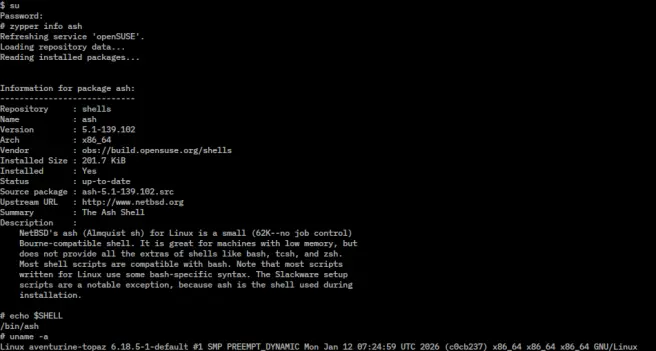
 massive_bereavement
Flatpaks have helped me a lot reducing bloat, avoiding dependency hell.
That said, probably there's some overlapping dependencies that, if installed in a different way I could save some space, but it's not worth it in my opinion.
I'm also using rootless podman+systemd for certain services, but that's been a mixed bag compared with plain old docker or LXC.
 TrickDacy
I thought the number one drawback to flatpaks is that they’re enormous because each one includes all its own dependencies
No, same dependencies get deduplicated
Ah interesting. Good to know. Thank you
But you need at least one runtime right? How much overlap is it between what’s included in the base install and the runtime?
we are all runtimes on this blessed day
Flatpak is like the most bloated thing ever because of the runtime and all the dependencies it needs.
I did a test, flatpak with just firefox installed used 3 GiB of space.
While 15 appimages that includes heavy applications like libreoffice, kdenlive and two web browsers uses 1.2GiB.
Started playing with arch this week for the first time. Got a pretty good laugh when I realized that I forgot to install a dhcp client and had to boot the install media again to add networking.
I appreciate what they’re doing and I’m going to keep poking at it, but my first impression is that philosophy is driving and the utility is in the back seat.
So just run archinstall Personally as a relative newbie I found arch a lot easier to deal with than fedora and ubuntu, both of which have had me in dependency hell on previous attempts to switch to linux. Not only that but I have a much better idea of what makes up my system.
I think it’s important to do it all manually once. But, after that there’s no reason not to use archinstall, at all.
It’s definitely a philosophy, and you have to understand the implications. But I’m not sure utility is in the back seat. It’s just that you personally own your own config.
I never understand this obsession with “bloat” when you can buy a 1 TB SSD for € 50.
 nitrolife
or you can’t by if you’re not successful enough or you’re in the wrong country. For example, in my country, the minimum cost of a 1TB SSD is about $85 and a salary of $2,000 is considered a very successful salary at the upper limit
bro a 256 gb ssd here costs 200+
That’s wild. I just bought several recently for $20 ea
Do you live in North Korea?
of course, how else would i use lemmy?
That sounds insane, are computer parts in general that much more expensive that other countries?
For me it’s not about the size, it’s about the understanding. I’d really like to understand what everything on my system does and why it’s there. It seems impossible with modern systems. Back in the '90s I needed a secure email relay - it had lilo, kernel, init, getty, bash, vi, a few shell utils (before busybox…), syslogd and sendmail. I’m not sure any more as it was a long time ago, but I think I even statically linked everything so there was no libc. I liked that system.
I’d like to know more about what my system does, so I can fix it when it breaks.
Bloat is more about performances
So you have a folder and need to find a specific file from it. Would it be faster to find the file when there are 5 folders or 500?
It seems to be seen across all platforms.
What I find interesting is that no one is asking about the quality of code, nor do they seem concerned about the dependencies but they do care about that one package/app/program of any size they see and don’t immediately know why it’s there.
It’s not about storage. It’s about complexity getting back at you, like not knowing what caused a problem because multiple programs are stepping on each others feet
For me it was a problem with update frequency and how long they would take. Once i got rid of my flatpaks and moved to stable firefox i update once a week instead of daily now and it takes seconds instead of minutes. Probably also solvable with auto updates.
 DefederateLemmyMl
Bloat multiplies when you have to back it up.
You realize you don’t have to backup the actual “bloated” programs. Just maybe their configs and any files those programs generate that you’d like to keep, right?
I remember what my idea of making backups was when I was a wee grasshopper.
Making a backup of the whole OS instead of just the configs and user files.
I have come a long way since then.
That’s committing the cardinal sin of cherrypicking your backup contents. You may end up forgetting to include things that you didn’t know you needed until restore time and you’re creating a backup that is cumbersome to restore. Always remember: you should really be creating a restore strategy rather than a backup strategy.
As a general rule I always backup the filesystem wholesale, optionally exclude things of which I’m 100% sure that I don’t need it, and keep multiple copies (daylies and monthlies going some time back) so I always have a complete reference of what my system looked like at a particular point in time, and if push comes to shove I can always revert to a previous state by wiping the filesystem and copying one of the backups to it.
Snaps still take longer to load with that.
 Agility0971
It’s not always about storage. It can also be more processes that drains battery, more attack vectors etc.
I mean - you control what gets installed on Arch. One finger pointing at arch is three pointing back in this scenario…
I don’t think the finger is being pointed at Arch though
You also control what’s being installed on other distros. In fact, other distros split their packages in a way more modular way which allows one to pick and choose what one needs granularly. In Arch, the package count is lower because the maintainers don’t split stuff up. But you get all the so called bloat when you installna regular package
And you’d have to try pretty hard to make it as infested with snaps.
 ☂️-
☂️-mfs with a 16 core cpu, 64gb ram and 10tb storage be like