 Craig Hockenberry
If you're like 99.9999% of other developers, you're using UserDefaults in an app.
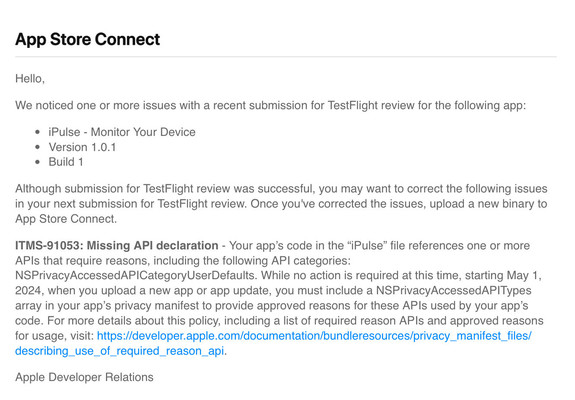
And because you do that, you'll see this message when you upload your next build to the App Store.
Here's what to do about it…
If you're like 99.9999% of other developers, you're using UserDefaults in an app.
And because you do that, you'll see this message when you upload your next build to the App Store.
Here's what to do about it…
First, read the documentation:
The section for UserDefaults is the last one (saving the best for last, of course!)
You'll need to add a new file to your Xcode project. Make sure the PrivacyInfo.xcprivacy file is included in the target (so that it can be extracted after you upload to the App Store).
The documentation here explains how to create the file:
https://developer.apple.com/documentation/bundleresources/privacy_manifest_files#4284009
The format of the XML in the file isn't obvious. There's a lot of talk about keys for types and description, but the hierarchy wasn't clear to me.
Here's where I landed on the file: https://gist.github.com/chockenberry/2c1c829dba9c7f34c9a7e8e04335be42
NOTE: This file assumes that you only use UserDefaults in the app. If you're using an app group for an extension or whatever, the “CA92.1" won't fly. Read the docs I mentioned earlier!


 Adam Overholtzer