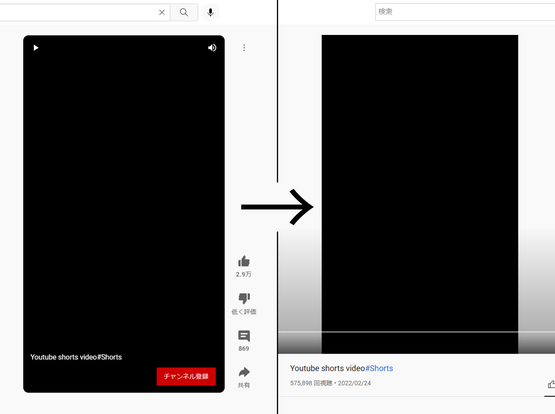
Copied from Reddit, of particular note for screen reader users as YouTube's shorts player is basically trash.

YouTube's "shorts" player removes a significant amount of functionality, especially the ability to jump forward and back in the video. Every video that loads in the "shorts" player is actually a regular video under the hood, and by slightly changing the URL you can get the same video to load in the regular player along with all of the functionality it allows.

To do this, look in the URL bar of a video playing in the "shorts" player, where you should see the text shorts/. (That is, the word "shorts" followed by a single forward slash.) Replace that text with watch?v= and load the new URL. (That is, the word "watch" followed by a question mark, letter v, and equals sign.) The same video should appear in the regular player.

As a concrete example:

https://www.youtube.com/shorts/SXHMnicI6Pg

becomes

https://www.youtube.com/watch?v=SXHMnicI6Pg

Hope this serves you well.

Source: https://www.reddit.com/r/YouShouldKnow/s/MicDN7io2u

Let’s see how many people get Rick rolled πŸ€ͺ

YouTube
@simon Very cool hint; thanks much.
@simon Replacing /shorts/ with /v/ also works :)
@simon This Firefox extension seems to automatically redirect shorts to regular videos: https://addons.mozilla.org/en-US/firefox/addon/youtube-shorts-block/
Youtube-shorts block – Get this Extension for 🦊 Firefox (en-US)

Download Youtube-shorts block for Firefox. Play the Youtube shorts video as if it were a normal video. and hide "shorts"tab and videos (optional).

@simevidas @simon
From the Reddit comments I learned the replacement can be even simpler, replace the word /shorts/ between the slashes with the letter /v/, it will redirect you to the regular player.

I made a bookmarklet that will do the redirect for the current Short.
I also made one that rewrites all the Shorts links on a page but there's a catch; it only seems to work with opening them in a new tab or window, probably due to JavaScript handling the clicks.

https://codepen.io/extra88/pen/xxeVKJy?editors=1000

YT Shorts to Watch bookmarklets

...

@simon there are Firefox extensions to do this automatically, I think this is the one I use on my desktop but I'm not sure https://addons.mozilla.org/en-CA/firefox/addon/youtube-shorts-block/
Youtube-shorts block – Get this Extension for 🦊 Firefox (en-CA)

Download Youtube-shorts block for Firefox. Play the Youtube shorts video as if it were a normal video. and hide "shorts"tab and videos (optional).