 V4N4D1S
Oh no.
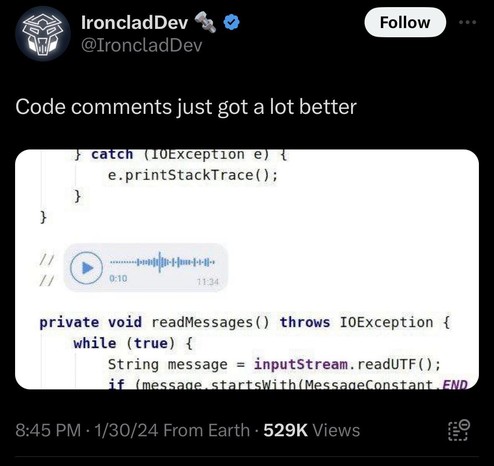
@V4N4D1S Don't get me started on how it is 20 fucking 24 and we still can NOT, under ANY CIRCUMSTANCES, put a PICTURE in a code comment.
Because clearly no code has ever needed a DIAGRAM to explain it. That would be utterly useless. Besides, it's not like computers could handle it.
@WAHa_06x36 @V4N4D1S Markdown, github flavored, has it (if not markdown at all).
You can put a comment that direct to a section in a .md somewhere in your repo
@WAHa_06x36 @pixelpusher220 @OSchell well, it's damn useful that you can just cat and grep in code, and markdown is a pretty good compromise between machine and human readability.
there's several markdown extensions that can turn ascii art into diagrams. one of which is this one:

Precondition Sequence Diagrams Sequence Diagrams Options Flowcharts Mermaid Sequence Diagrams Flowcharts Gantt Charts Class Diagrams State Diagrams Pie Charts Requirement Diagram Gitgraph Diagrams / Commit Flow C4 Diagrams (plantUML compatible) Mindmap Timeline Quadrant Chart Sankey diagrams ZenUML XY Chart Global Mermaid Options Overview Diagram Alignment Mermaid Theme Auto Numbering Flowchart Curve Gantt Padding Inline Mermaid Config Save-as / Copy on Diagrams Precondition Typora supports some Markdown extensions for diagrams, to use this feature, first please enable Diagrams in Preferences Panel → Markdown section. When exporting as HTML, PDF, epub, docx, those rendered diagrams will also be included, but diagrams features...
@WAHa_06x36 @pixelpusher220 @OSchell You will stop me from editing the source file in a plain text editor by prying Notepad.exe/Notepad++.exe from my cold dead hands.
In the meantime, you can do Kanji Art if ASCII Art isn't your style.
 Dag Ågren ↙︎↙︎↙︎
 O'Schell
 Pusher Of Pixels (old account)
 LR
LR Alexander The 1st