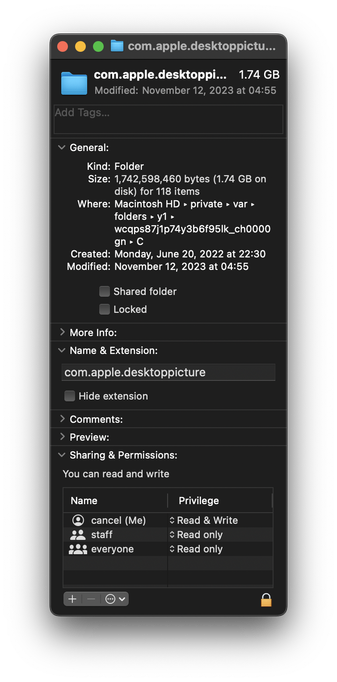
At this point, becoming suspicious that Apple intentionally puts things into macOS to fill up your disk over time and make you want to upgrade.

This machine lost 800mb over the last two days, even though I didn't create anything or update any software.

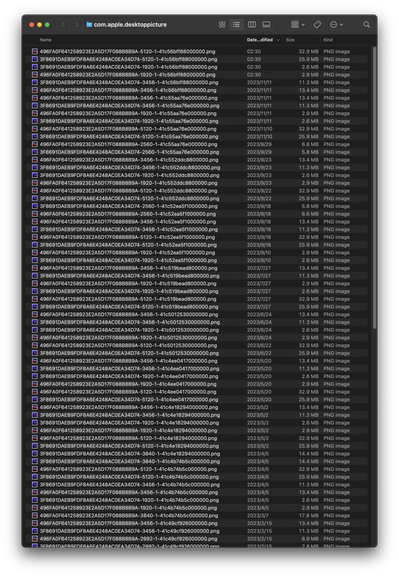
I went looking for stuff that might have been generated. Here's one. A directory of…copies of the desktop background images (which already ship with the OS in another directory.)

macOS creates new copies at random times. Forever. What.
@cancel If you use Xcode you’ve probably accumulated a complete iOS simulator for every point release of iOS. Only deleteable from the command line. No way to say “I don’t do iOS dev”.
@jkaniarz I installed Xcode once and then never updated it. How do I check if I have duplicated copies of iOS simulators?

@cancel They shouldn’t be duplicated, there’s just a lot of point releases. Look in ~/Library/Developer and delete the old ones.

Also check out OmniDiskSweeper for finding unusually large folders.

@jkaniarz what am I looking for? here's my ~/Library/Developer

@cancel ~/Library/Developer/Xcode/macOS DeviceSupport/?

I don't have any iOS stuff in there so I don't know the iOS path but take a look around.

I also have a gig of near duplicate "devices" (each including the same example photo library) in ~/Library/Developer/CoreSimulator/Devices/*

I also just noticed that XCode 15 puts simulators in a new (unknown to me) location now. So anything in the Developer folder is probably out of date. Thankfully you can now delete simulators from the Xcode gui.