
Success in upgrading to 4.2.0 from 4.1.6

What I learned:

- go sequential. 4.1.6 to 7 to 8 to 9 and then .20

- do server level backups along the way

- be precise in the steps for 4.2.0. The Mastodon docs aren't very good at outlining the EXACT steps to follow.... you've got to examine several upgrade docs to figure out the process. Personally, I find the docs kind of dumb; why they can't outline all the steps in one doc I don't know
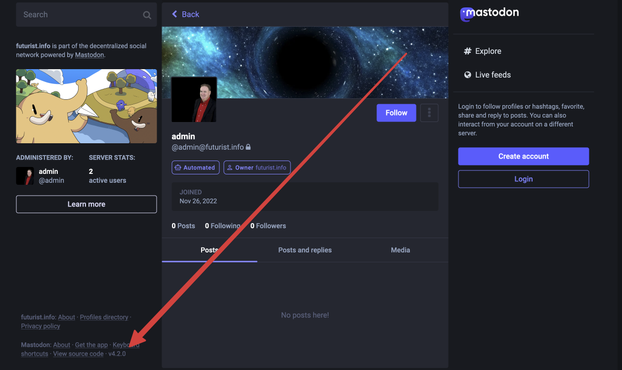
Here's what I did 4.2.0

su - mastodon

cd .home/mastodon/live

git fetch --tags
git checkout v4.2.0

THEN

update Ruby as documented here

"If you are using `rbenv`, update the list of available versions and install Ruby 3.2.2 by doing `RUBY_CONFIGURE_OPTS=--with-jemalloc rbenv install` in the Mastodon install directory (e.g. `/home/mastodon/live`)"

(You won't find these details on the upgrade page that shows up first at https://github.com/mastodon/mastodon/releases. You will find it at
https://github.com/mastodon/mastodon/releases/tag/v4.2.0)

"v4.2." · Releases · mastodon/mastodon

Your self-hosted, globally interconnected microblogging community - mastodon/mastodon

GitHub

THEN

bundle install
yarn install --frozen-lockfile

RAILS_ENV=production bundle exec rails assets:precompile

SKIP_POST_DEPLOYMENT_MIGRATIONS=true RAILS_ENV=production bundle exec rails db:migrate

then exit

Start processes
systemctl restart mastodon-sidekiq
systemctl reload mastodon-web
systemctl restart mastodon-streaming

Test that you can still get back in

And then:

Go back into the Mastodon user

su - mastodon
cd /home/mastodon/live

NOW do post deployment

RAILS_ENV=production bundle exec rails db:migrate

Should now be 4.2.0

Pretty dumb since you need to figure this set of steps on your own.