 Tom
Tom@MonaApp On the iPad, is there a way to adjust the width in column view? E.g. when viewing lists and switching between them, the content feels very far away on the right. Turning off column view makes things feel too wide (when in landscape mode), but with it on, feels very narrow. Hoping for something in between. Is that possible or something being considered for the future?
@MonaApp I liked how Twitterific used to handle this on the Mac. Screenshot is very old but the general layout persisted to the end where you could see list names in sidebar and quickly switch between them. I wonder how that would feel on an iPad.
 Mona app
@xsan64 Please update the app to it’s latest version. The page showing your lists should be much narrower. https://geo.itunes.apple.com/app/id1659154653
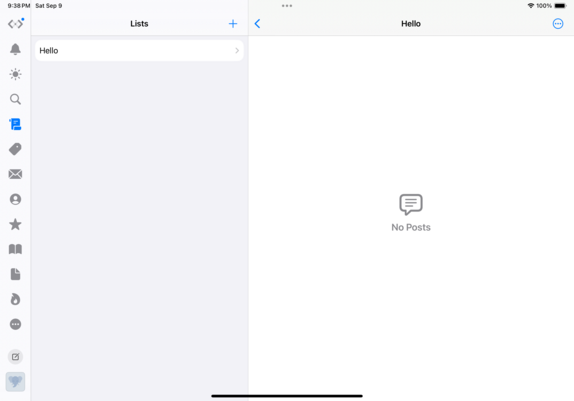

@MonaApp Thanks. I should be on the latest version but will check later on when home.
This is in the latest developer beta of iOS 17.
@MonaApp Mona 5.9 on iPad Air 4 running most recent developer beta of iPadOS it appears per my earlier screenshot. Beta issue maybe?
@xsan64 Not sure how, I tested on an iPad Air simulator and my iPad Pro with the latest iPadOS Beta, and I don’t have that issue.
Anyway, you could also open the list in a new window to make the timeline view wider. There are many ways to achieve that: on the list timeline, tap the upper right … button; on the tab showing all lists, tap and hold a list, then drag it to one side of your iPad, or select “open in new window”