Introducing Obscura 4

A camera app built for pros and designed for everyone.
Obscura 4 has been redesigned and rebuilt to be faster, nicer, and easier to use than ever before.

Download it now: https://apps.apple.com/app/apple-store/id1579306989?pt=96658924&ct=Mastodon&mt=8

Obscura — Pro Camera App - App Store

Download Obscura — Pro Camera by Ben McCarthy on the App Store. See screenshots, ratings and reviews, user tips, and more apps like Obscura — Pro Camera.

App Store
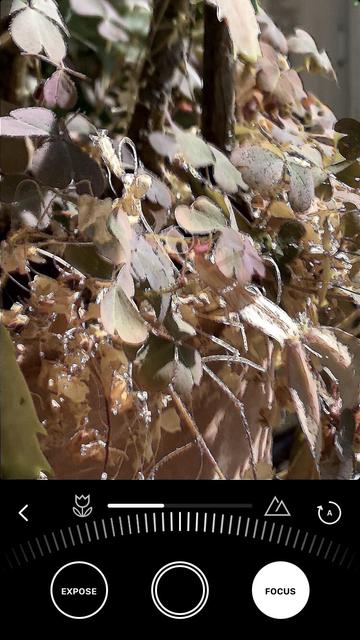
@BenRiceM have been using the original Obscura forever and I find the visual feedback when manual focusing very helpful (all sorts of high-contrast sharp edges appear). This is particularly helpful outside when I can’t see the screen well because of the bright sunlight.
I didn’t see this feature in Obscura 4. I looked in settings and I think these features might be what you call “Focus Peaking” but are only enabled if I purchase the Ultra subscription. 1/2
@BenRiceM Am I understanding that correctly? Or is there a way for me to enable something like the original Obscura visual focus indicator in regular Obscura 4? Am attaching an example of the original Obscura focus indicator visualization 2/2