 Zealousmagician
Been using ComfyUI for a little while and my ass is NOT comfy (please send help)
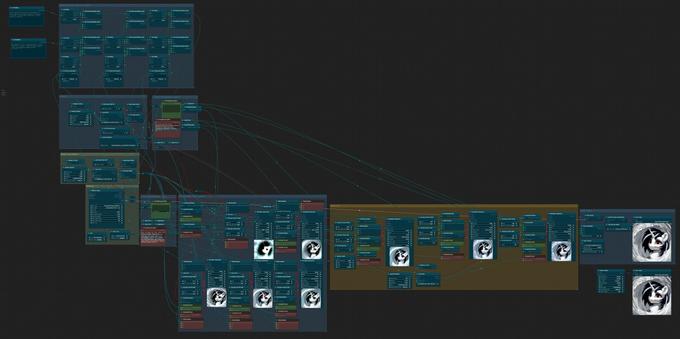
@Zealousmagician
Definitely not the most intuitive of UI's! I've been playing with it myself, though.
I'd make sure that you install the ComfyUI Manager, and use it to install some Custom Nodes.
https://github.com/ltdrdata/ComfyUI-Manager
NestedNodeBuilder is useful, too.
Also, the dot on the top left of nodes lets you shrink them down, which can be pretty useful.
Another thing that might not be immediately obvious is that you can usually convert settings on a node to inputs...

ComfyUI-Manager is an extension designed to enhance the usability of ComfyUI. It offers management functions to install, remove, disable, and enable various custom nodes of ComfyUI. Furthermore, th...
@SweetAIBelle I've got the manager and installed a bunch of extensions and custom nodes to make my setup work- which is why I'm also afraid to touch the nested node builder since so much could go wrong haha. I've definitely not been using the node collapse enough, but I'm also afraid if I condense and minimize too much I'll completely forget how to operate the thing 
I've used the "convert input to widget" feature to do a ton of stuff with this, super handy and makes everything even more customisable. I've got some random number stuff going on with the lora strength input to randomise it's strength per gen which is pretty neat, and it's good for manipulating text prompts as well mid-gen.
@Zealousmagician
Admittedly, a lot of times you can use custom nodes instead of combining nodes with the node builder anyways.
Changing settings to inputs is mostly useful because you can do things like pulling prompts and, say, width and height to separate nodes.
I mostly collapse nodes I think I'm not going to fiddle with the settings much, like loaders and vae decode.
Actually, my biggest trouble is I generate a million workflows fiddling with things, and they aren't organised at all.
It's definitely fun to play with things, though, like fiddling with XL having up to three positive & negative prompts between the base & refiner, or giving XL two pictures as a prompt.
(Of course, there isn't a pony XL model yet I've seen, though naturally, I can use non XL stuff for that...)
@Zealousmagician
No problem! Once I heard about it, I just had to try it. You can loop in more than 2 images, too.
For that particular workflow, I ended up not using the refiner, though it did need the clip vision g checkpoint. It's over in the revision folder here (and that's also where official controlnet stuff for xl is):
https://huggingface.co/stabilityai/control-lora/tree/main
I've got 12gb myself. When I started playing seriously with ai, I had to upgrade, because I had a 4gb graphics card, so I went with a NVIDIA GeForce RTX 3060 12gb (though they have 8gb versions of that card now too. for some reason...).
 SweetAI Belle
